Introduction
This manual is for Acer Aspire model E5-571-5552 to replace any non-operational keys on your personal computer. This demonstrates how to remove the laptop keyboard along with the touchpad. Beware, the keyboard and touchpad are connected during the removal process. Prior to proceeding with this manual, inspect the keyboard for any liquid or debris that may have fallen into the keyboard causing it to be non-functional or not work properly. Follow this link to learn how to clean your laptop Laptop Keyboard Cleaning Guide. Before continuing with the process, make sure to turn off your laptop completely and unplug it from any external power sources.
What you need
-
-
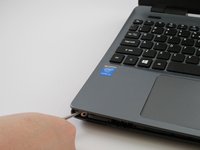
Place the pointed end of a spudger into the battery lock. Slide the battery lock to the left using the spudger. A "click" sound will accompany the release of the battery.
-
-
-
-
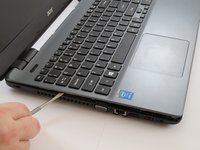
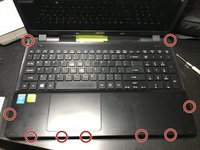
Carefully pry apart the clips holding the keyboard in place by moving a metal spudger along the seam.
-
-
-
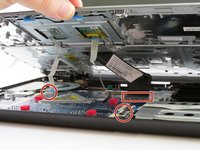
Carefully flip up the white hinge. Detach the three ZIF ribbons connected to the motherboard.
-
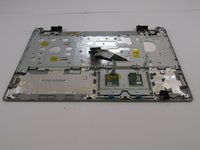
Remove the panel with the keyboard and the touchpad.
-

 Ask FixBot




To reassemble your device, follow these instructions in reverse order.
Cancel: I did not complete this guide.
9 other people completed this guide.

Team

USF Tampa, Team 4-2, Meier Fall 2015 Member of USF Tampa, Team 4-2, Meier Fall 2015
USFT-MEIER-F15S4G2
3 Members
7 Guides authored
4 Guide Comments
can you explain how to remove the keyboard and attach the new one to the whole top
keyboard cable is indeed a b$%*h, but you will get there with the patience of a zen master
here's a video that shows the extra steps of remo9ving and replacing keyboard: https://www.youtube.com/watch?v=DpawPQrq...
