
Acer Aspire 5740-5780 RAM Replacement

Gian Farrell and 5 other contributors
Last updated on Jun 10, 2021
Views: 1.3K
View statistics:
- Past 24 Hours:
- 1
- Past 7 Days:
- 12
- Past 30 Days:
- 70
- All Time:
- 1,289
Comments: 0
No one has left comments on this guide. Will you be first?
Go to guide commentsCompleted: 1 2
1 person has marked this guide "completed." Will you be next?
2 people have marked this guide "completed." Including you — great job!
Favorites: 0 1
No one has favorited (and subscribed to) this guide. Will you be the first?
1 person has favorited (and subscribed to) this guide — and that's you!
In Progress
This guide is a work in progress. Reload periodically to see the latest changes!
Incorrect Tools
Help make this guide better by using the correct tools in images and/or text.
Introduction
Go to step 1 ↓This guide will outline the removal and replacement of the RAM in an Acer Aspire 5740-5780 laptop. Replacement of RAM might be necessary if you are in need of more storage space on your laptop, or if it is running out of memory. Replacing the RAM in your laptop might also allow for your laptop to run faster, but it should be noted that this isn’t a permanent fix if your laptop is having performance issues.
What you need
Tools


-
-
Step 1 Prepare Acer Aspire 5740-5780 for Disassembly
Careful: steps 1-4 are sourced from a guide that's marked as in-progress.
-
Turn the laptop off and remove the power cord.
 Ask FixBot
-
-
-
Press in the SD Card or the SD Card Dummy if no SD Card is there. Remove card when it pops out.
-
-
-
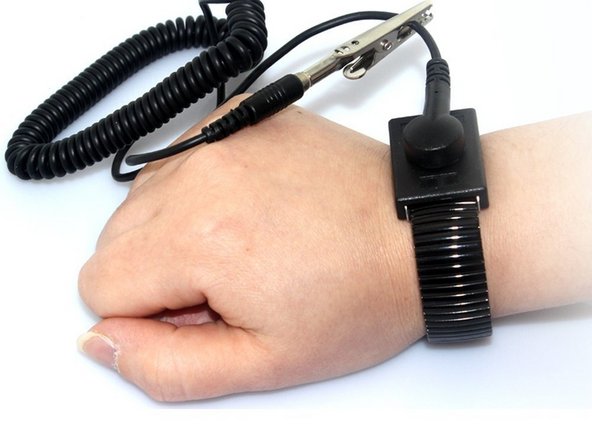
Put grounding strap on one of your wrists and attach the other end to a large metal object (recommended method).
-
If you don't have a grounding strap an alternative approach is to touch a metal object that is either large or connected to the earth. Then avoid doing things that would accumulate static electricity on your body.
-
-
-
-
-
-
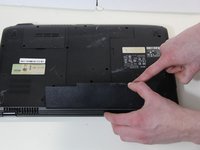
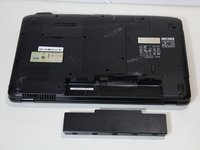
Loosen the captive screw and remove the single M2.5 x L8 screw from the back panel using a Phillips #0 screwdriver.
-
-
-
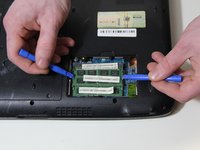
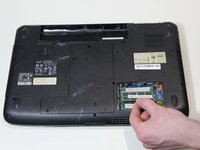
Use the opening tool to assist in carefully removing the RAM from the PC. Next lift the RAM up slowly and pull it out with your fingers.
-
-






To reassemble your device, follow these instructions in reverse order.
Cancel: I did not complete this guide.
One other person completed this guide.

Team

UMass Dartmouth, Team S3-G6, Peak Spring 2018 Member of UMass Dartmouth, Team S3-G6, Peak Spring 2018
UMASSD-PEAK-S18S3G6
3 Members
108 Guides authored
