Free Shipping on Domestic Orders $75+

Acer Aspire 5740-5780 Back Cover Replacement

What you need

    1. Careful: steps 1-4 are sourced from a guide that's marked as in-progress.

      Acer Aspire 5740-5780 Back Cover Replacement, Prepare Acer Aspire 5740-5780 for Disassembly: step 1, image 1 of 2 Acer Aspire 5740-5780 Back Cover Replacement, Prepare Acer Aspire 5740-5780 for Disassembly: step 1, image 2 of 2
      • Turn the laptop off and remove the power cord.

      Ask FixBot

      Add Comment

    2. Acer Aspire 5740-5780 Back Cover Replacement: step 2, image 1 of 2 Acer Aspire 5740-5780 Back Cover Replacement: step 2, image 2 of 2
      • Press in the SD Card or the SD Card Dummy if no SD Card is there. Remove card when it pops out.

      Ask FixBot

      Add Comment

    3. Acer Aspire 5740-5780 Back Cover Replacement: step 3, image 1 of 1
      • Flip the laptop over on its face, so that the back is showing.

      Ask FixBot

      Add Comment

    4. Acer Aspire 5740-5780 Back Cover Replacement: step 4, image 1 of 1
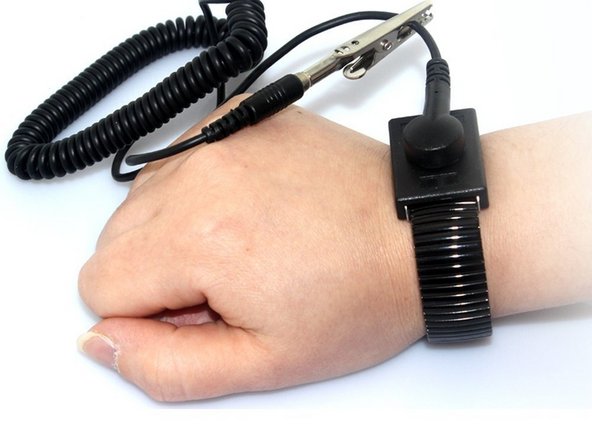
      • Put grounding strap on one of your wrists and attach the other end to a large metal object (recommended method).

      • If you don't have a grounding strap an alternative approach is to touch a metal object that is either large or connected to the earth. Then avoid doing things that would accumulate static electricity on your body.

      • Touching the internals of your device while you aren't grounded could destroy your laptop.

      Ask FixBot

      Add Comment

    1. Acer Aspire 5740-5780 Back Cover Replacement, Battery: step 5, image 1 of 2 Acer Aspire 5740-5780 Back Cover Replacement, Battery: step 5, image 2 of 2
      • Unlock the battery by flipping a switch near the release latch.

      Ask FixBot

      Add Comment

    2. Acer Aspire 5740-5780 Back Cover Replacement: step 6, image 1 of 1
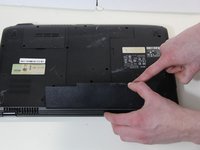
      • Slide the release latch to the left to release the battery from the PC.

      Ask FixBot

      Add Comment

    3. Acer Aspire 5740-5780 Back Cover Replacement: step 7, image 1 of 2 Acer Aspire 5740-5780 Back Cover Replacement: step 7, image 2 of 2
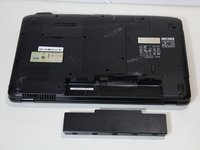
      • Use your hands to pry the battery free of the computer.

      Ask FixBot

      Add Comment

    1. Acer Aspire 5740-5780 Back Cover Replacement, Back Cover: step 8, image 1 of 2 Acer Aspire 5740-5780 Back Cover Replacement, Back Cover: step 8, image 2 of 2
      • Unscrew the 2 captive screws and 3 M2.5 x L8 screws holding back cover in place.

      Ask FixBot

      Add Comment

    2. Acer Aspire 5740-5780 Back Cover Replacement: step 9, image 1 of 2 Acer Aspire 5740-5780 Back Cover Replacement: step 9, image 2 of 2
      • Use spudger to pry open the back panel.

      • Then lift panel off of the computer.

      Ask FixBot

      Add Comment

Conclusion

To reassemble your device, follow these instructions in reverse order.

Cancel: I did not complete this guide.

Dwyer Deighan

Member since: 03/25/18

358 Reputation

3 Guides authored

Team

0 Guide Comments

Add Comment

View Statistics:

Past 24 Hours: 0

Past 7 Days: 3

Past 30 Days: 20

All Time: 1,139