Free Shipping on Domestic Orders $75+

Acer Aspire 5334-2581 Keyboard Replacement

What you need

    1. Acer Aspire 5334-2581 Keyboard Replacement, Battery: step 1, image 1 of 1
      • Please make sure your device is unplugged . Turn it over slowly, and place it on a flat surface.

      Ask FixBot

      Add Comment

    2. Acer Aspire 5334-2581 Keyboard Replacement: step 2, image 1 of 1
      • This latch holds your battery in place, it should always be locked. Make sure to unlock this piece.

      • Do not break this latch, otherwise your battery will not hold in place.

      Ask FixBot

      Add Comment

    3. Acer Aspire 5334-2581 Keyboard Replacement: step 3, image 1 of 1
      • Locate the eject latch and push it so the battery can come out.

      • The battery will lift up once you have pushed the latch.

      • You DO NOT need to adjust the latch when replacing the new battery, because it just snaps in place.

      Ask FixBot

      Add Comment

    4. Acer Aspire 5334-2581 Keyboard Replacement: step 4, image 1 of 1
      • Lift the battery up, and it should just come right off. You should see the label with the part number.

      Ask FixBot

      Add Comment

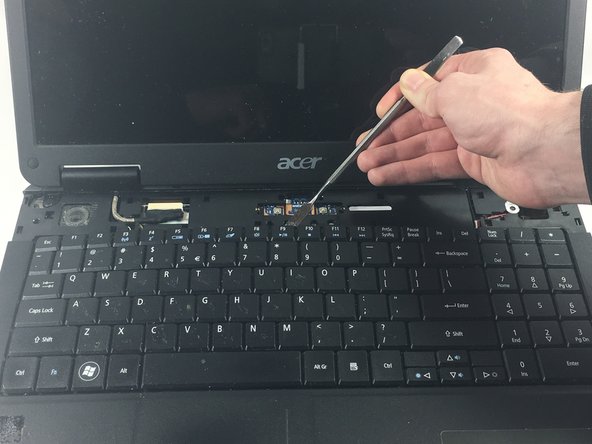
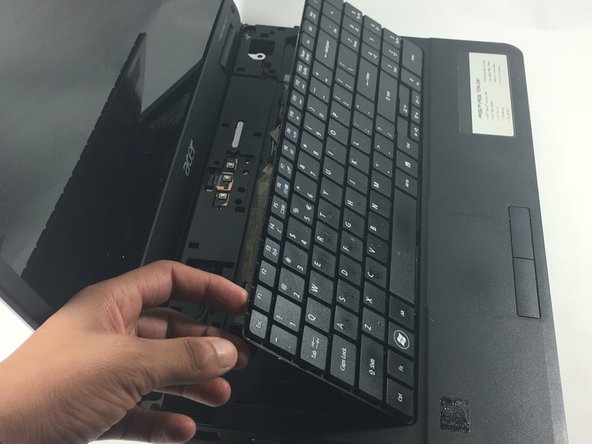
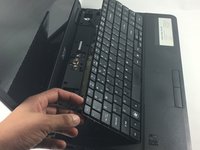
    1. Acer Aspire 5334-2581 Keyboard Replacement, Keyboard: step 5, image 1 of 3 Acer Aspire 5334-2581 Keyboard Replacement, Keyboard: step 5, image 2 of 3 Acer Aspire 5334-2581 Keyboard Replacement, Keyboard: step 5, image 3 of 3
      • The keyboard is held underneath a plastic cover. remove this cover with a spudger.

      • Using a spudger, apply it underneath the keyboard and lift it up.

      Ask FixBot

      Add Comment

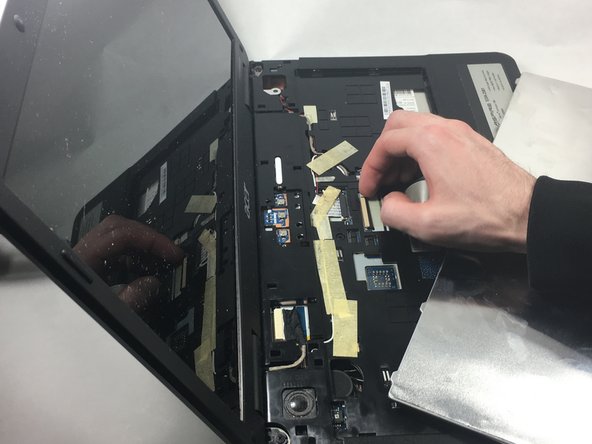
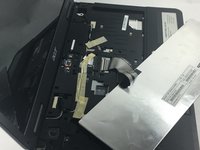
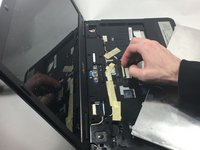
    2. Acer Aspire 5334-2581 Keyboard Replacement: step 6, image 1 of 2 Acer Aspire 5334-2581 Keyboard Replacement: step 6, image 2 of 2
      • Disconnect the keyboard flex cable, and now you are ready to install a new keyboard.

      • Take extra care, and try not to break the the latch that holds the cable in place.

      Ask FixBot

      Add Comment

Conclusion

To reassemble your device, follow these instructions in reverse order.

Cancel: I did not complete this guide.

One other person completed this guide.

gilson teixeira

Member since: 10/20/16

334 Reputation

5 Guides authored

Team

UMass Dartmouth, Team 1-2, Catania Fall 2016 Member of UMass Dartmouth, Team 1-2, Catania Fall 2016

UMASSD-CATANIA-F16S1G2

3 Members

59 Guides authored

0 Guide Comments

Add Comment

View Statistics:

Past 24 Hours: 4

Past 7 Days: 9

Past 30 Days: 29

All Time: 1,021