
Acer Aspire 5 A515-46-R3UB Battery Replacement

RylanSchanbacher and 6 other contributors
Last updated on Jan 14, 2026
Views: 1.9K
View statistics:
- Past 24 Hours:
- 3
- Past 7 Days:
- 24
- Past 30 Days:
- 139
- All Time:
- 1,916
Comments: 0
No one has left comments on this guide. Will you be first?
Go to guide commentsCompleted: 0 1
No one has marked this guide "completed." Will you be the first?
1 person has marked this guide "completed." It's you — great job!
Favorites: 0 1
No one has favorited (and subscribed to) this guide. Will you be the first?
1 person has favorited (and subscribed to) this guide — and that's you!
Introduction
Go to step 1 ↓This guide shows you how to replace the battery in your Acer Aspire 5 A515-46-R3UB. The Acer Aspire 5 comes with a 48Wh 3-cell Li-ion battery, which provides users with 10 hours of battery life. After so many charging cycles it will start to become less effective. You may encounter a time when your battery won't hold a charge anymore and it could be that it has come to the end of its lifecycle.
Before you begin replacing your battery, ensure that your laptop has a battery issue. You can identify a battery problem if your laptop is overheating, continues to die, or has trouble holding charge. For other troubleshooting issues, take a look at the Acer Aspire 5 A515-46-R3UB Troubleshooting page.
Before you start the repair, turn off your laptop and unplug the charger.
What you need
Tools


-
-
-
Use a JIS #1 screwdriver to remove eleven 6.7 mm screws from the bottom cover.
 Ask FixBot
-
-
-
Use an opening tool and picks to pry the bottom cover from the laptop.
-
Work your way around the perimeter of the bottom cover, releasing any clips before you remove the bottom case.
-
Remove the bottom case.
-
-
-
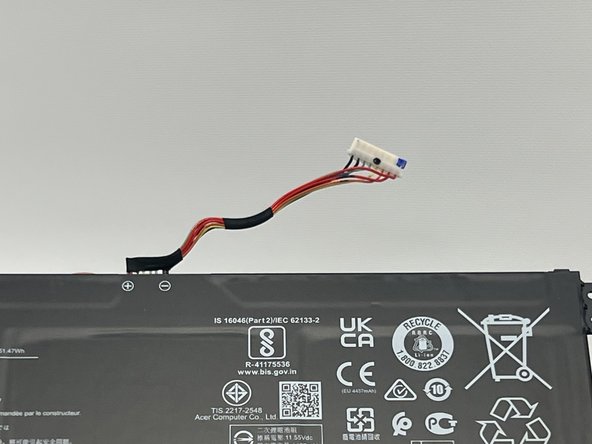
Use the plastic opening tool to carefully push on each side of the connector and remove it from the socket.
-
-
-










To reassemble your device, follow these instructions in reverse order.

Team

Western Carolina University, Team 1-3, Virtue Fall 2023 Member of Western Carolina University, Team 1-3, Virtue Fall 2023
WCU-VIRTUE-F23S1G3
4 Members
60 Guides authored
