Introduction
This guide will show you how to replace your old RAM..
The RAM is the main source of speed for your computer.
Replacing the RAM is an easy task with little risk of damaging critical components inside your computer.
What you need
-
-
-
Shut down the computer and disconnect all external devices and cables.
-
Flip the computer over.
 Ask FixBot
-
-
-
Ensure that the battery compartment lock tab is in the unlocked position.
-
Slide the sliding black tab away from the battery compartment.
-
The inside edge of the battery should be released, causing it to slightly pop out of the compartment.
-
-
-
-
Grasp the inside edge of the battery and lift to fully detach the battery from the computer.
-
-
-
-
-
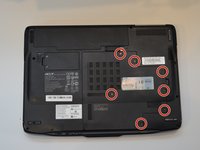
Remove the seven 2mm Phillips #1 screws from the largest panel on back of the laptop.
-
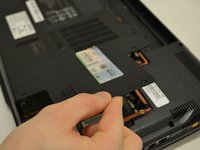
Lift up the panel from the indent located on the right side.
-
-
-
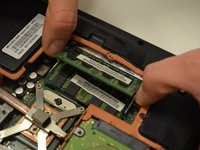
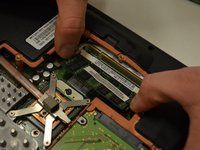
Push the white tabs located on either side of the top stick of RAM outward.
-
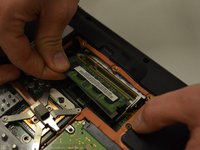
Remove the RAM from the slot on the motherboard.
-
-




To reassemble your device, follow these instructions in reverse order.
Cancel: I did not complete this guide.
One other person completed this guide.

Team

Washington State, Team S5-G117, Phelps-Hillen Fall 2017 Member of Washington State, Team S5-G117, Phelps-Hillen Fall 2017
WSU-PHELPS-HILLEN-F17S5G117
3 Members
84 Guides authored
