Introduction
This guide will show you how to replace or upgrade the Graphics Card of an Acer Aspire 4520-5464 laptop. The graphics card allows graphics to be displayed on the screen of the laptop.
What you need
-
-
-
Shut down the computer and disconnect all external devices and cables.
-
Flip the computer over.
 Ask FixBot
-
-
-
Ensure that the battery compartment lock tab is in the unlocked position.
-
Slide the sliding black tab away from the battery compartment.
-
The inside edge of the battery should be released, causing it to slightly pop out of the compartment.
-
-
-
Grasp the inside edge of the battery and lift to fully detach the battery from the computer.
-
-
-
-
-
-
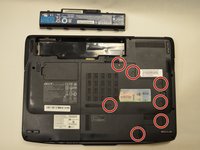
Using a Phillips PH1 screwdriver, remove the seven 0.5mm screws from the largest panel on the back of the laptop.
-
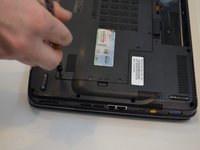
Lift up the panel from the indent located on the right side.
-
-
-
Unscrew the four 0.5mm Phillips #1 screws located on the heat sink in numerical order, as labeled on the device.
-
-
-
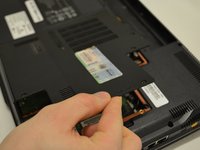
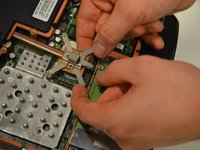
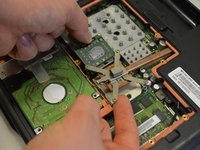
Using the traditional 2.5mm screwdriver, rotate the locking tab counterclockwise to unlock the graphics card.
-
-




To reassemble your device, follow these instructions in reverse order.
Cancel: I did not complete this guide.
2 other people completed this guide.

Team

Washington State, Team S5-G117, Phelps-Hillen Fall 2017 Member of Washington State, Team S5-G117, Phelps-Hillen Fall 2017
WSU-PHELPS-HILLEN-F17S5G117
3 Members
84 Guides authored
1 Guide Comment
This is a CPU slot not slot of Graphics Card! The replacement of GPU for this model is Soldered
