
Acer Aspire 3 A315-24PT-R288 Screen Replacement

Zachariah Fernandez and 2 other contributors
Last updated on May 27, 2025
Views: 1K
View statistics:
- Past 24 Hours:
- 2
- Past 7 Days:
- 29
- Past 30 Days:
- 112
- All Time:
- 1,042
Comments: 3
3 comments on steps.
Completed: 2 3
2 people have marked this guide "completed." Will you be next?
3 people have marked this guide "completed." Including you — great job!
Favorites: 0 1
No one has favorited (and subscribed to) this guide. Will you be the first?
1 person has favorited (and subscribed to) this guide — and that's you!
Needs More Images
A few more images would make this guide's procedures crystal clear.
Introduction
Go to step 1 ↓If your Acer Aspire 3 A315-24PT-R288 Screen is black or cracked or otherwise broken this guide is for you. In this guide we will go over the 7 steps to take off the screen on the Acer Aspire 3 A315-24PT-R288 to replace it.
What you need


-
-
-
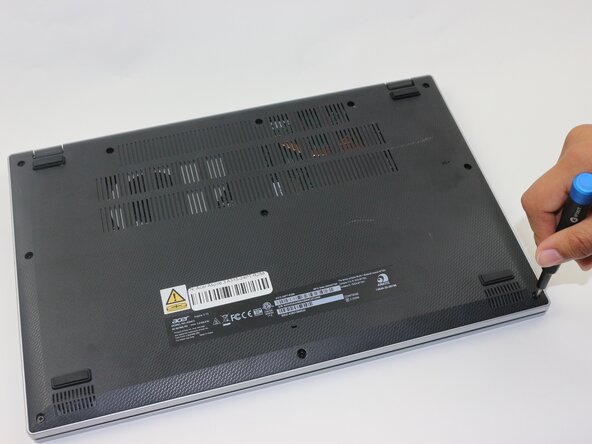
Use a Phillips screwdriver to remove the eleven 2 mm screws that secure the lower case.
 Ask FixBot
-
-
-
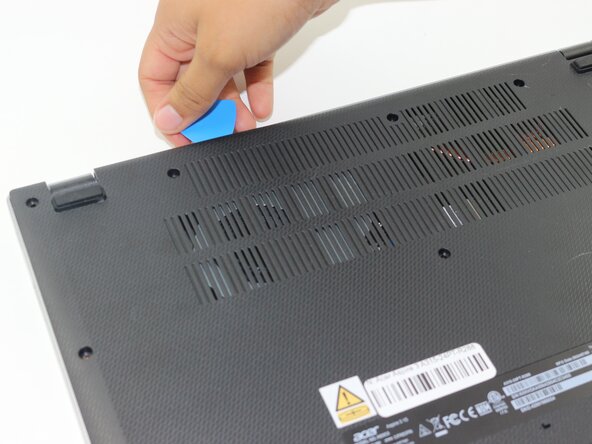
Insert an opening pick in the seam between the chassis and the lower case.
-
Slide the opening pick around the entire perimeter, prying every couple of centimeters, to release all of the retaining clips that secure the lower case.
-
Remove the lower case.
-
-
-
-
-
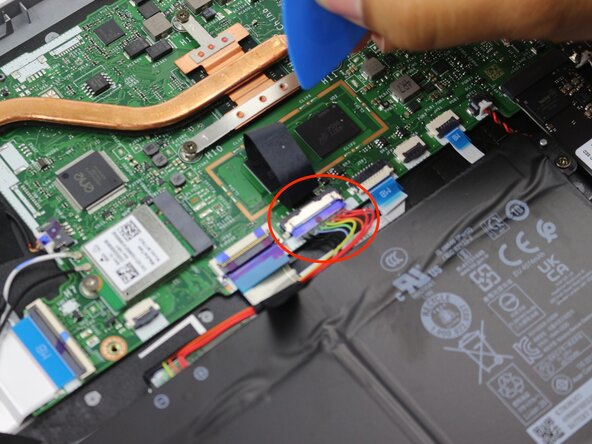
Remove the tape on the battery connector using tweezers or your fingers.
-
-
-
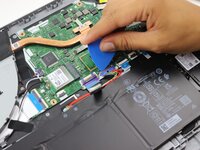
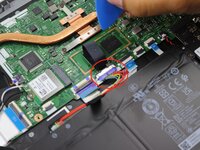
Use an opening pick or the flat end of a spudger to gently push the battery connector out of its motherboard socket.
-
-
-
-
-
Flip the laptop over and open the lid.
-
Insert an opening pick in the seam between the bezel and screen.
-
Pry around the entire perimeter of the bezel to release the clips.
-
Remove the bezel.
-
-
-
Remove both of the 2 mm screws at the top-left and top-right corners of the screen.
-
-
-
-
Gently lift the screen away from the display assembly, with care not to strain the connected cables.
-
-
-
Lay down the screen flat with the back facing you.
-
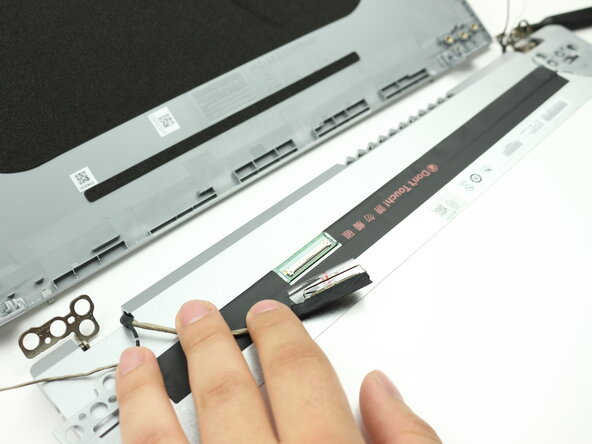
Flip up the display connector locking bar.
-
Pull the display connector directly out of its socket.
-
Remove the screen.
-
-







To reassemble your device, follow the above steps in reverse order.
Take your e-waste to an R2 or e-Stewards certified recycler.
Repair didn’t go as planned? Try some basic troubleshooting or ask our Answers community for help.
Cancel: I did not complete this guide.
2 other people completed this guide.

Team

Sam Houston State, Team 17-5, Thornton Spring 2025 Member of Sam Houston State, Team 17-5, Thornton Spring 2025
SHSU-THORNTON-S25S17G5
3 Members
60 Guides authored
