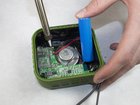
AYL SoundFit Battery Replacement

Dustin Moore and 2 other contributors
Last updated on May 9, 2016
Views: 3.5K
View statistics:
- Past 24 Hours:
- 3
- Past 7 Days:
- 16
- Past 30 Days:
- 104
- All Time:
- 3,481
Comments: 4
4 guide comments.
Go to guide commentsCompleted: 0 1
No one has marked this guide "completed." Will you be the first?
1 person has marked this guide "completed." It's you — great job!
Favorites: 1 2
1 person has favorited (and subscribed to) this guide. Will you be next?
2 people have favorited (and subscribed to) this guide — including you!
Slice and Dice
The steps in this guide should be split up and made into a series of prerequisite guides.
Introduction
Go to step 1 ↓Use this guide to replace the battery of your AYL SoundFit. If your device's battery won't hold a charge, replacing the battery may resolve the problem.
What you need
Tools
-
-
Spudger4.9
-
-


-
-
-
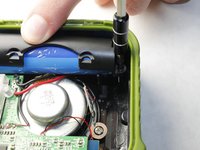
Remove the four hex screws on the top of the device using a 2.5 hex screwdriver.
 Ask FixBot
-
-
-
Place a spudger between the black plastic cover and the green case.
-
Pry the black cover away from the main casing and remove the cover.
-
-
-
Place a spudger between the black housing, which contains the woofer, and the outer rubber casing.
-
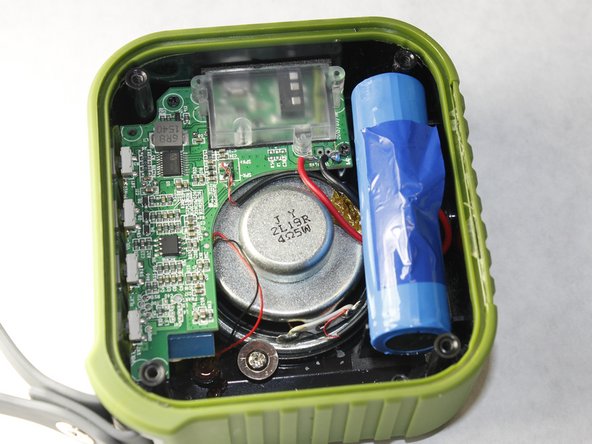
Pry the housing away from the body to reveal the motherboard, speaker, and battery.
-
-
-
Remove the two Phillips #00 screws securing the battery casing.
-
Remove the battery case to reveal the battery.
-
-
-
-
Desolder the positive and negative battery contacts from the motherboard.
-
Remove the battery from the device.
-
-



To reassemble your device, follow these instructions in reverse order.

Team

IUPUI, Team 3-3, Harley Spring 2016 Member of IUPUI, Team 3-3, Harley Spring 2016
IUPUI-HARLEY-S16S3G3
4 Members
60 Guides authored
