Free Shipping on Domestic Orders $75+

ATT CL2940 Batteries Replacement

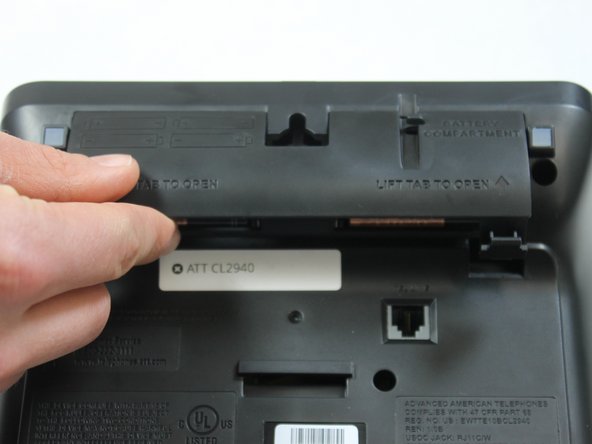
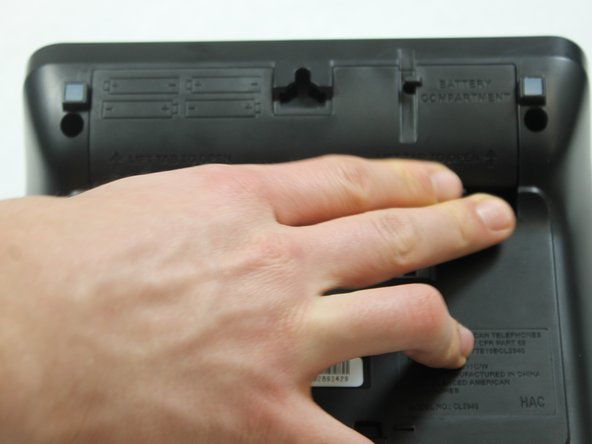
  1. ATT CL2940 Batteries Replacement, Batteries: step 1, image 1 of 3 ATT CL2940 Batteries Replacement, Batteries: step 1, image 2 of 3 ATT CL2940 Batteries Replacement, Batteries: step 1, image 3 of 3
    • Flip the phone over and push the tabs upward to release the battery cover.

    Ask FixBot

    Add Comment

  2. ATT CL2940 Batteries Replacement: step 2, image 1 of 3 ATT CL2940 Batteries Replacement: step 2, image 2 of 3 ATT CL2940 Batteries Replacement: step 2, image 3 of 3
    • Place four AA batteries in the battery compartment. Position the negative end (-) at the side with the spring as shown.

    Ask FixBot

    Add Comment

  3. ATT CL2940 Batteries Replacement: step 3, image 1 of 3 ATT CL2940 Batteries Replacement: step 3, image 2 of 3 ATT CL2940 Batteries Replacement: step 3, image 3 of 3
    • Replace the battery cover.

    • You should hear a "click" sound when the battery cover is fixed in place.

    Ask FixBot

    Add Comment

Finish Line

Cancel: I did not complete this guide.

One other person completed this guide.

Charles Messmore

Member since: 02/15/16

577 Reputation

5 Guides authored

Team

IUPUI, Team 1-1, Harley Spring 2016 Member of IUPUI, Team 1-1, Harley Spring 2016

IUPUI-HARLEY-S16S1G1

4 Members

20 Guides authored

0 Guide Comments

Add Comment

View Statistics:

Past 24 Hours: 1

Past 7 Days: 6

Past 30 Days: 23

All Time: 1,848