
ASUS ZenBook UX302LA-BHI5T08 RAM Replacement

Jin Feng Lin and 3 other contributors
Last updated on Jun 30, 2021
Views: 813
View statistics:
- Past 24 Hours:
- 1
- Past 7 Days:
- 19
- Past 30 Days:
- 72
- All Time:
- 813
Comments: 2
2 comments on steps.
Completed: 0 1
No one has marked this guide "completed." Will you be the first?
1 person has marked this guide "completed." It's you — great job!
Favorites: 0 1
No one has favorited (and subscribed to) this guide. Will you be the first?
1 person has favorited (and subscribed to) this guide — and that's you!
Introduction
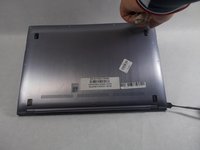
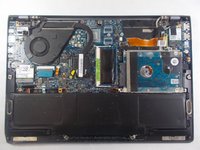
Go to step 1 ↓RAM is what allows your computer to quickly access information it needs in the short term. Whether you are typing word documents or playing your favorite games, if your computer is running slow when using programs, replacing and or upgrading your RAM may help speed things up. This guide will serve as a step by step set of instructions on how you can remove and add RAM on the ASUS ZenBook UX302LA-BHI5T08. Before you get started, make sure you have all the proper tools including a Spudger, a Phillips #00 screwdriver, and any RAM you wish to install. This project is very simple, so almost anyone should be up to the task!
What you need
Tools
-
Spudger4.9


-
-
-
-
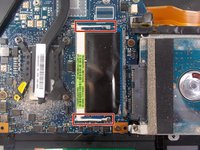
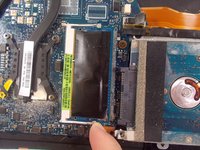
To unlock the RAM, simply move the metal brackets using your finger.
-
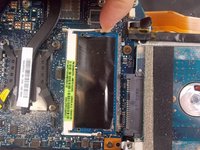
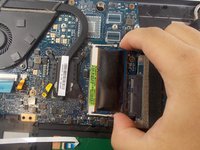
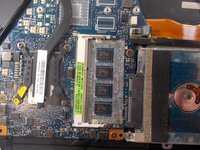
When the RAM is unlocked, it will elevate itself.
-
-
-


 Ask FixBot







To reassemble your device, follow these instructions in reverse order.

Team

UMass Dartmouth, Team S4-G4, Saloman Fall 2019 Member of UMass Dartmouth, Team S4-G4, Saloman Fall 2019
UMASSD-SALOMAN-F19S4G4
3 Members
48 Guides authored
