Free Shipping on Domestic Orders $75+

ASUS ZenBook UX302LA-BHI5T08 Back Cover Replacement

What you need

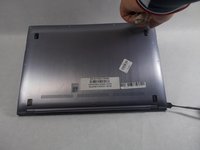
    1. ASUS ZenBook UX302LA-BHI5T08 Back Cover Replacement, Back Cover: step 1, image 1 of 2 ASUS ZenBook UX302LA-BHI5T08 Back Cover Replacement, Back Cover: step 1, image 2 of 2
      • Flip the laptop over so the model stickers face the ceiling.

      Ask FixBot

      Add Comment

    2. ASUS ZenBook UX302LA-BHI5T08 Back Cover Replacement: step 2, image 1 of 2 ASUS ZenBook UX302LA-BHI5T08 Back Cover Replacement: step 2, image 2 of 2
      • Remove eleven 7mm Phillips #00 screws that secure the back cover.

      • Two screws are under the rubber pad.

      Ask FixBot

      Add Comment

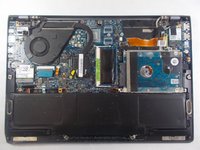
    3. ASUS ZenBook UX302LA-BHI5T08 Back Cover Replacement: step 3, image 1 of 2 ASUS ZenBook UX302LA-BHI5T08 Back Cover Replacement: step 3, image 2 of 2
      • Using a spudger, carefully remove the back cover.

      Ask FixBot

      Add Comment

Conclusion

To reassemble your device, follow these instructions in reverse order.

Cancel: I did not complete this guide.

One other person completed this guide.

Kristen Gismondi

Member since: 11/12/14

108,488 Reputation

271 Guides authored

Team

iFixit Member of iFixit

Staff

123 Members

78,787 Guides authored

0 Guide Comments

Add Comment

View Statistics:

Past 24 Hours: 2

Past 7 Days: 6

Past 30 Days: 24

All Time: 1,072