
ASUS ZenBook Flip 15 Q528 SSD Replacement

Johnny Rangel and 3 other contributors
Last updated on Dec 13, 2024
Views: 1K
View statistics:
- Past 24 Hours:
- 5
- Past 7 Days:
- 23
- Past 30 Days:
- 91
- All Time:
- 1,047
Comments: 0
No one has left comments on this guide. Will you be first?
Go to guide commentsCompleted: 1 2
1 person has marked this guide "completed." Will you be next?
2 people have marked this guide "completed." Including you — great job!
Favorites: 0 1
No one has favorited (and subscribed to) this guide. Will you be the first?
1 person has favorited (and subscribed to) this guide — and that's you!
Featured Student Guide
This guide has been the hard work of our awesome students and is found to be exceptionally cool by the iFixit staff.
Introduction
Go to step 1 ↓Whether you have low storage or if you just want to upgrade the storage on your Asus ZenBook Flip 15 Q528 laptop, this is a guide on how to replace the NVMe M.2 SSD drive.
A near-full SSD can significantly decrease performance and prompt "Device Full" errors. Make sure to check and delete any applications, images, or files taking unnecessary space before buying a new SSD. However, if those applications are essential programs, then upgrading the SSD is the move. Upgrading or replacing the SSD with a larger SSD can improve performance and provide more space for files.
Before getting started, be sure to backup your data from the SSD to a separate external drive before attempting. Additionally, remove all charger plugs, and of course power the laptop off.
What you need
Fix Kit
This kit contains all the parts and tools needed to complete this guide.

Parts

Tools


-
-
-
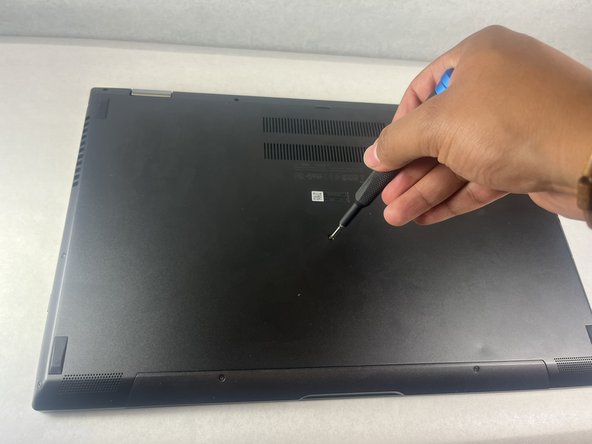
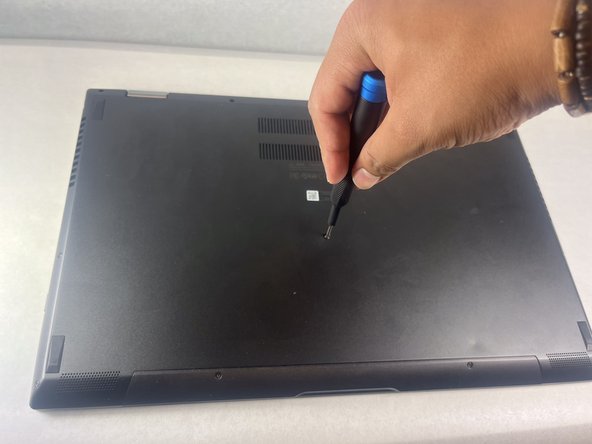
Remove all eleven screws on bottom side of laptop:
-
One 7.5 mm Phillips #00
-
Ten 3.6 mm T5 Torx
 Ask FixBot
-
-
-
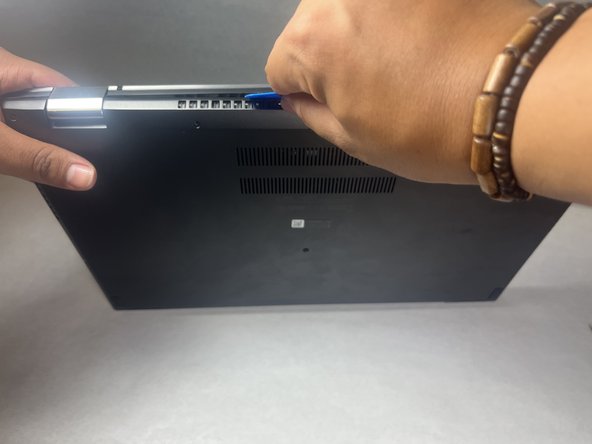
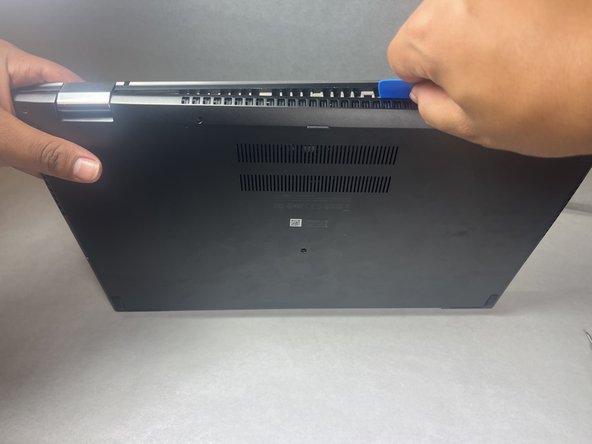
Slide opening picks under the lower case to loosen the cover.
-
Move clockwise around the cover to loosen the cover evenly.
-
Remove the lower case.
-
-
-
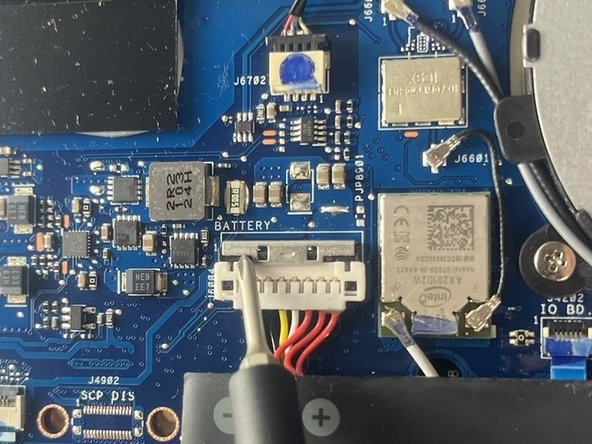
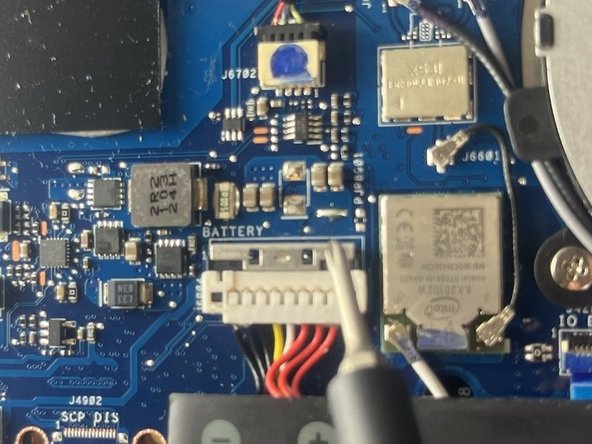
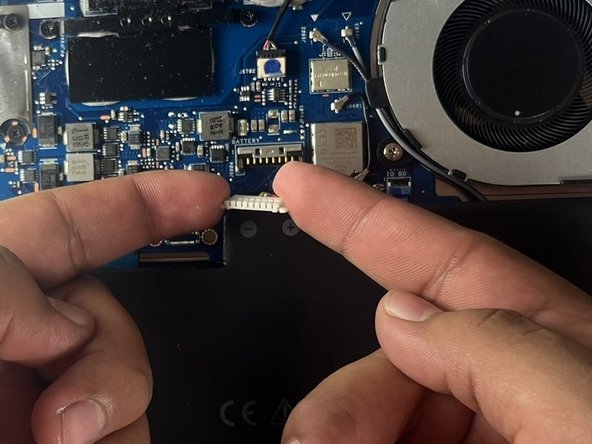
Push inwards in a pinching motion on the battery cable and slightly pull upwards to disconnect the battery connector.
-
-
-
-
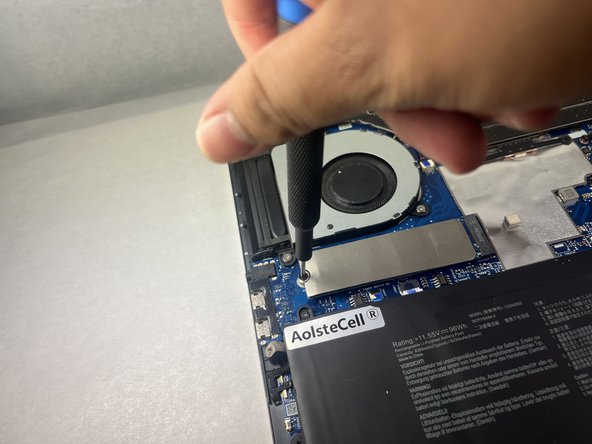
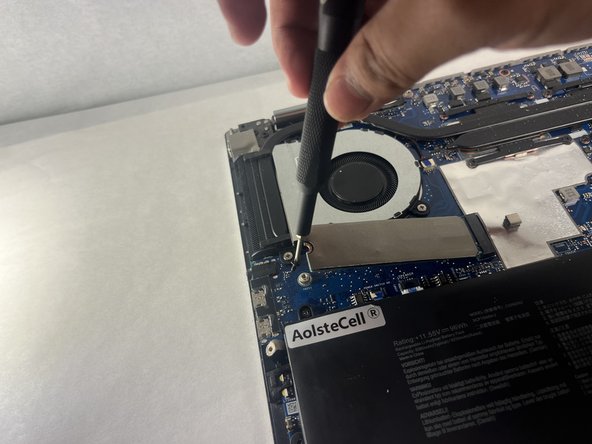
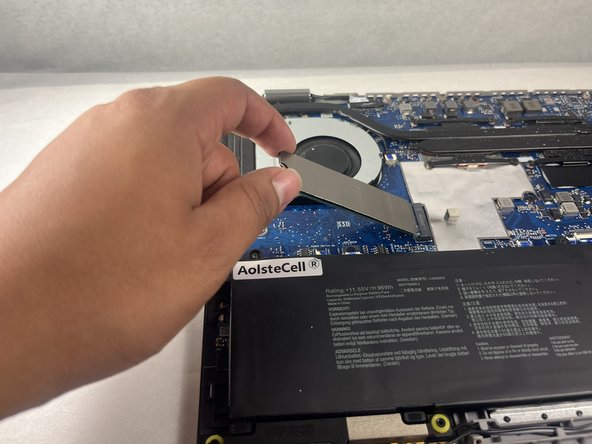
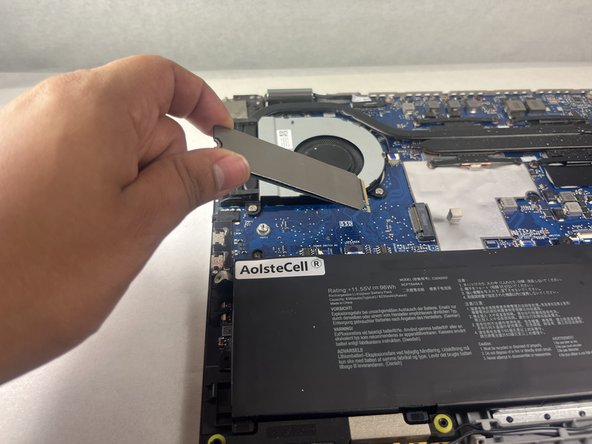
Grip the end of the SSD and pull it away from its M.2 board connector to remove it.
-
-













To reassemble, complete the steps in reverse order.
Hopefully, this guide was a useful resource to replace the NVMe M.2 SSD from a ASUS ZenBook Flip 15 Q528 computer within 6 quick and easy steps!
Cancel: I did not complete this guide.
One other person completed this guide.

Team

UC Davis, Team 1-4, Morris Fall 2024 Member of UC Davis, Team 1-4, Morris Fall 2024
UCD-MORRIS-F24S1G4
3 Members
12 Guides authored
