Introduction
This guide is designed to show how to safely remove the volume buttons, as well as the power button on the Asus ZenFone Zoom 3. You will need to remove the back on the phone to get to the buttons, which are tucked in the side pockets.
What you need
-
-
-
Use sim card attachment for the screwdriver found in the IFIXIT box to remove the sim card tray from the phone.
 Ask FixBot
-
-
-
Remove the 3.5 mm screws on both sides of the charging port, on the bottom of the phone, using the T2 screwdriver.
-
-
-
-
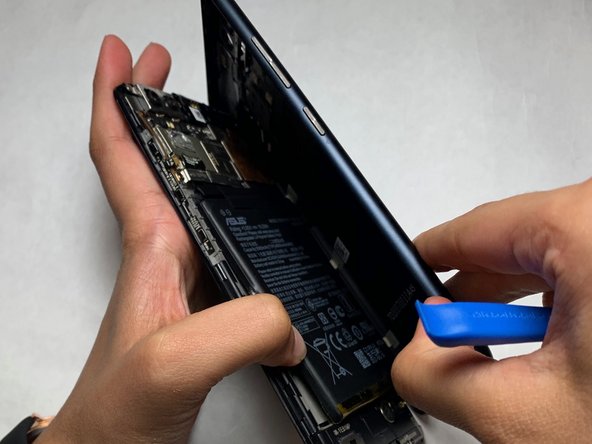
Use the opening tool to separate the screen and the plastic body of the phone.
-
-
Tool used on this step:Tweezers$3.99
-
Use the angled tweezers to remove the power/volume buttons from the inside of the phone cover.
-
-
-
The finished product should be the volume and power buttons separated from the back casing of the phone.
-
-




Cancel: I did not complete this guide.
One other person completed this guide.

Team

IUPUI, Team S2-G3, Harley Summer 2019 Member of IUPUI, Team S2-G3, Harley Summer 2019
IUPUI-HARLEY-SU19S2G3
4 Members
36 Guides authored
