Free Shipping on Domestic Orders $75+

ASUS ZENFONE 3 Zoom Fingerprint Scanner Replacement

What you need

  1. ASUS ZENFONE 3 Zoom Fingerprint Scanner Replacement, Battery: step 1, image 1 of 2 ASUS ZENFONE 3 Zoom Fingerprint Scanner Replacement, Battery: step 1, image 2 of 2
    Tool used on this step:
    Tweezers
    $4.99
    Buy
    • Using a pair of tweezers, pull put the SIM card tray and set it to the side.

    Ask FixBot

    Add Comment

  2. ASUS ZENFONE 3 Zoom Fingerprint Scanner Replacement: step 2, image 1 of 1
    • Remove the two 2 mm screws using a Torx T2 screwdriver.

    Ask FixBot

    Add Comment

  3. ASUS ZENFONE 3 Zoom Fingerprint Scanner Replacement: step 3, image 1 of 2 ASUS ZENFONE 3 Zoom Fingerprint Scanner Replacement: step 3, image 2 of 2
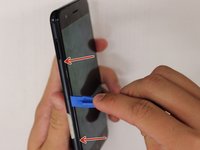
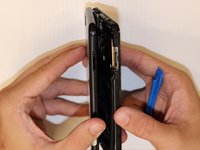
    • Insert a prying tool between the screen and the metal backing of the phone at the bottom to remove backing from phone.

    • There will be a thin film connecting the two pieces. You do not need to remove this. Just fold the two pieces apart with the inside facing up.

    Ask FixBot

    Add Comment

  4. ASUS ZENFONE 3 Zoom Fingerprint Scanner Replacement: step 4, image 1 of 1
    • Remove the two 3 mm screws, using the Phillips #00 screwdriver, on the silver band at the top of the battery and remove the band.

    Ask FixBot

    Add Comment

  5. ASUS ZENFONE 3 Zoom Fingerprint Scanner Replacement: step 5, image 1 of 1
    • Peel back the silver tape.

    Ask FixBot

    Add Comment

  6. ASUS ZENFONE 3 Zoom Fingerprint Scanner Replacement: step 6, image 1 of 1
    • Disconnect the battery connections.

    Ask FixBot

    Add Comment

  7. ASUS ZENFONE 3 Zoom Fingerprint Scanner Replacement: step 7, image 1 of 1
    • Pry and remove the battery.

    • The underside of the battery is adhesive so make sure to pry the battery off gently.

    Ask FixBot

    Add Comment

  8. ASUS ZENFONE 3 Zoom Fingerprint Scanner Replacement, Fingerprint Scanner: step 8, image 1 of 1
    • Unplug the wire connecting the two large pieces of the device. Next, seperate the two halves of the phone.

    Ask FixBot

    Add Comment

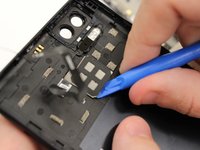
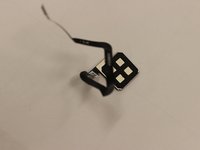
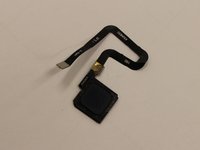
  9. ASUS ZENFONE 3 Zoom Fingerprint Scanner Replacement: step 9, image 1 of 3 ASUS ZENFONE 3 Zoom Fingerprint Scanner Replacement: step 9, image 2 of 3 ASUS ZENFONE 3 Zoom Fingerprint Scanner Replacement: step 9, image 3 of 3
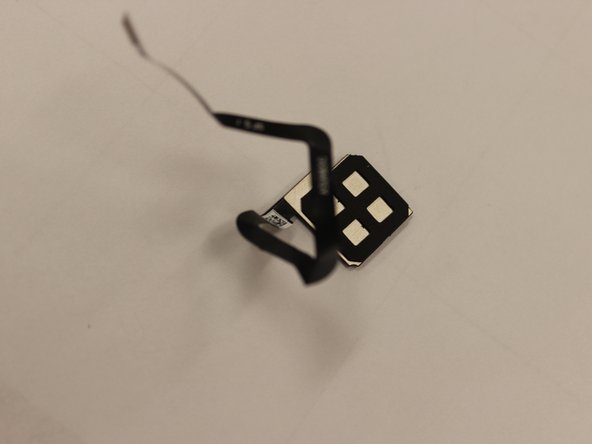
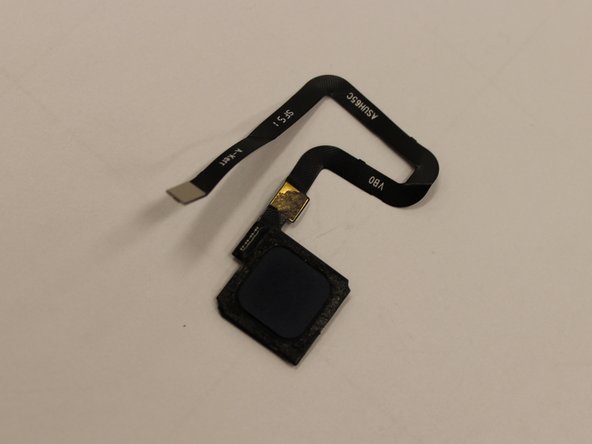
    • Using the plastic opening tool, pry the fingerprint scanner out.

    Ask FixBot

    Add Comment

Conclusion

To reassemble your device, follow these instructions in reverse order.

Cancel: I did not complete this guide.

1 Guide Comment

Pourquoi enlever la batterie , le lmecteur d empruntes s enlève des ouverture !

Philippe - Reply Share

Add Comment

View Statistics:

Past 24 Hours: 1

Past 7 Days: 7

Past 30 Days: 45

All Time: 978