Free Shipping on Domestic Orders $75+

ASUS U46E-RAL7 RAM Replacement

What you need

    1. ASUS U46E-RAL7 RAM Replacement, RAM: step 1, image 1 of 3 ASUS U46E-RAL7 RAM Replacement, RAM: step 1, image 2 of 3 ASUS U46E-RAL7 RAM Replacement, RAM: step 1, image 3 of 3
      • Using a size 0 Phillips screwdriver, remove two (2) 5mm screws from the L shaped back panel.

      Ask FixBot

      Add Comment

    2. ASUS U46E-RAL7 RAM Replacement: step 2, image 1 of 3 ASUS U46E-RAL7 RAM Replacement: step 2, image 2 of 3 ASUS U46E-RAL7 RAM Replacement: step 2, image 3 of 3
      • Using a plastic opening tool, pop off the L shaped panel.

      Ask FixBot

      Add Comment

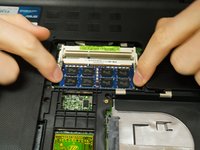
    3. ASUS U46E-RAL7 RAM Replacement: step 3, image 1 of 2 ASUS U46E-RAL7 RAM Replacement: step 3, image 2 of 2
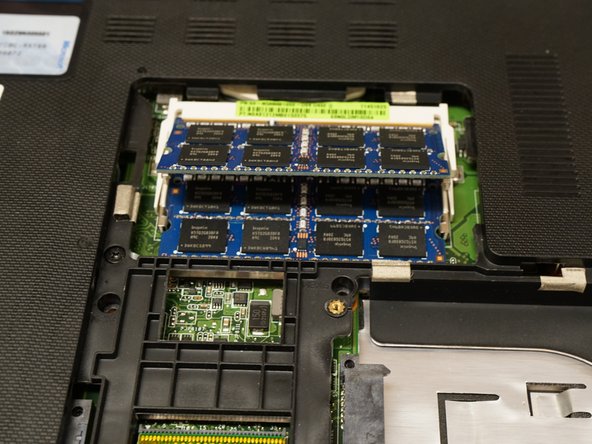
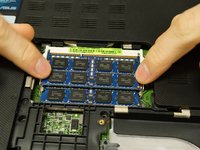
      • Place both index fingers on the metal bars on the edge of the ram.

      • Press down gently until the RAM pops up.

      Ask FixBot

      Add Comment

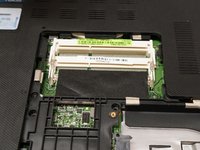
    4. ASUS U46E-RAL7 RAM Replacement: step 4, image 1 of 1
      • Pull the RAM stick out of the socket.

      Ask FixBot

      Add Comment

    5. ASUS U46E-RAL7 RAM Replacement: step 5, image 1 of 2 ASUS U46E-RAL7 RAM Replacement: step 5, image 2 of 2
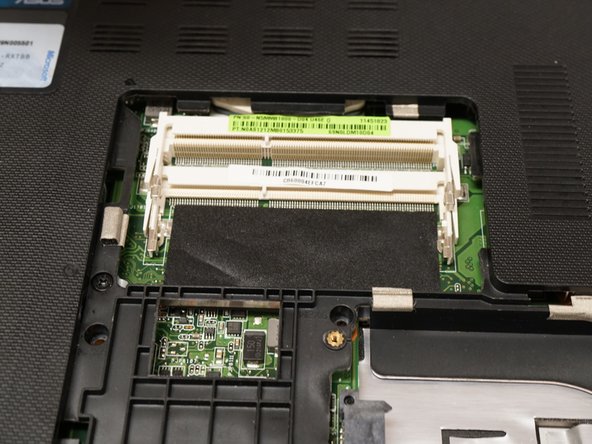
      • Repeat steps 1-4 for the second stick of RAM.

      Ask FixBot

      Add Comment

Conclusion

To reassemble your device, follow these instructions in reverse order.

Cancel: I did not complete this guide.

0 Guide Comments

Add Comment

View Statistics:

Past 24 Hours: 1

Past 7 Days: 5

Past 30 Days: 44

All Time: 554