Introduction
If your ASUS ROG G46VW keyboard is broken, dirty, or missing a few keys, use this guide to replace the keyboard.
The keyboard is an essential component to a computer, giving the user the assets to control the motherboard and computer itself. Without it, you will have a computer without the necessary parts to control it, given you don’t have a touchscreen. A faulty keyboard can do this, as over time keys can break, and items can get stuck in the keyboard, stopping the user from using specific letters and/or commands.
Before starting, be sure to have a screwdriver, spudger, and opening tools prepared to remove the faulty keyboard. If it is found that the keys were not working due to pieces of debris, remove or clean the debris and test your keyboard to confirm if it is still faulty or not. Once sure your keyboard is broken or faulty, be prepared to replace it with a new keyboard.
Before beginning, make sure to turn the power off to your laptop completely and disconnect from any wires, especially from your power source.
What you need
-
-
-
Remove all of the screws from the bottom of the case.
-
If replacing the screen, remove the rubber feet to reveal two more screws.
-
-

 Ask FixBot


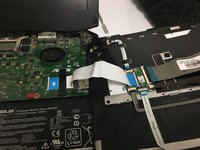
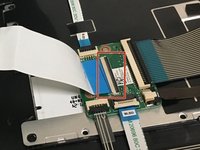
To reassemble your device, follow these instructions in reverse order.

Team

University of North Texas, Team S6-G3, Thompson Fall 2018 Member of University of North Texas, Team S6-G3, Thompson Fall 2018
UNT-THOMPSON-F18S6G3
4 Members
84 Guides authored
