Introduction
Is your device selfie camera failing to take photos? Probably it is time to get a new front camera. Use this manual to replace the front camera lens assembly.
What you need
-
-
-
Insert the plastic opening tool between the edge of the screen and the back cover.
-
Gently pry them apart. Use hands to pull them apart if necessary.
 Ask FixBot
-
-
-
Use a Phillips #00 screwdriver to remove the three 2.5mm screws that secure the speaker case to the motherboard.
-
-
-
Tool used on this step:Tweezers$4.99
-
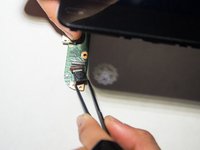
Use tweezers to remove cover sticker on the dock station.
-
-
-
Use a Phillips #000 screwdriver to remove the six 0.6mm screws that secure the dock station case to the motherboard.
-
-
-
Flip the device upwards.
-
Gently push the right side of motherboard down away from the dock station.
-
-


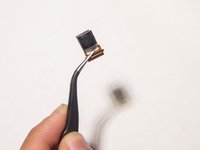
To reassemble your device, follow these instructions in reverse order.

Team

UMass Dartmouth, Team S2-G7, Peak Fall 2018 Member of UMass Dartmouth, Team S2-G7, Peak Fall 2018
UMASSD-PEAK-F18S2G7
3 Members
48 Guides authored
1 Guide Comment
I can not get my back off the device at the top of it it doesn't want to complete separate.
