Free Shipping on Domestic Orders $75+

ASUS PadFone X Station Docking Connector Replacement

What you need

    1. ASUS PadFone X Station Docking Connector Replacement, Back Cover: step 1, image 1 of 2 ASUS PadFone X Station Docking Connector Replacement, Back Cover: step 1, image 2 of 2
      • Using the plastic opening tools, insert it into the edge and pry open.

      • Use hands to help pull the back off from the front if needed.

      Ask FixBot

      Add Comment

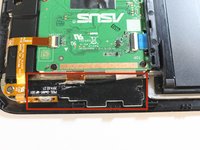
    1. ASUS PadFone X Station Docking Connector Replacement, USB connector: step 2, image 1 of 2 ASUS PadFone X Station Docking Connector Replacement, USB connector: step 2, image 2 of 2
      • Locate the CON101

      • The white sticker indicates water exposure. White=none, Red=Exposure

      Ask FixBot

      Add Comment

    2. ASUS PadFone X Station Docking Connector Replacement, Remove two Phillips screws: step 3, image 1 of 1
      • Remove two Phillips screws

      Ask FixBot

      Add Comment

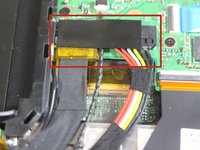
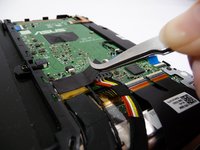
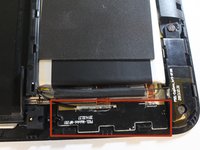
    3. ASUS PadFone X Station Docking Connector Replacement, Locate P92L on CON1504: step 4, image 1 of 2 ASUS PadFone X Station Docking Connector Replacement, Locate P92L on CON1504: step 4, image 2 of 2
      • Locate P92L on CON1504

      • Gently peel back and remove plastic tape

      Ask FixBot

      Add Comment

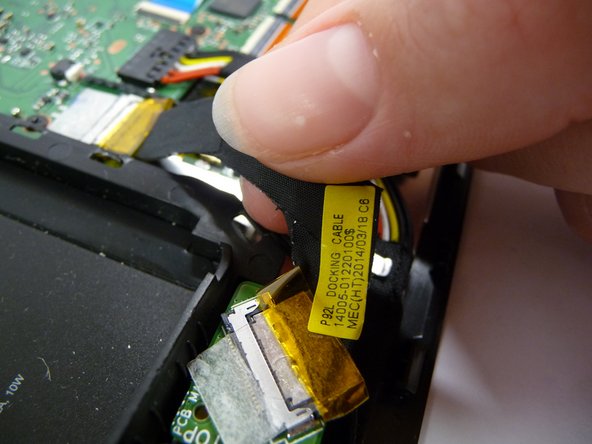
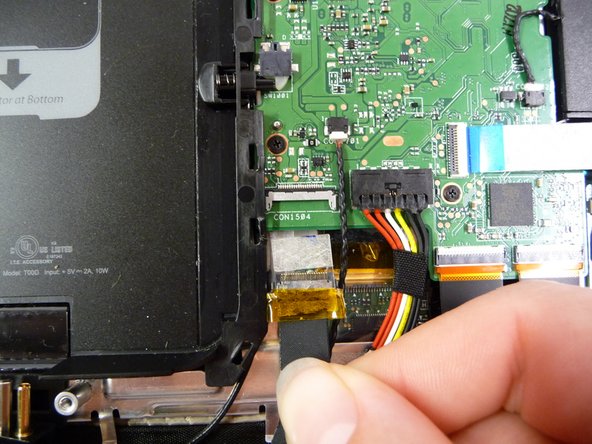
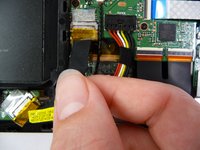
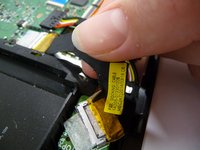
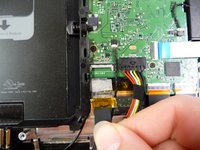
    4. ASUS PadFone X Station Docking Connector Replacement, Removal of P92L: step 5, image 1 of 3 ASUS PadFone X Station Docking Connector Replacement, Removal of P92L: step 5, image 2 of 3 ASUS PadFone X Station Docking Connector Replacement, Removal of P92L: step 5, image 3 of 3
      • Gently Pull P92L With Fingers From CON1504

      Ask FixBot

      Add Comment

    5. ASUS PadFone X Station Docking Connector Replacement, Identification of Antenna Wires: step 6, image 1 of 1
      • These are the antenna wires.

      • Trace these wires to locate the two antennas.

      Ask FixBot

      Add Comment

    6. ASUS PadFone X Station Docking Connector Replacement, Desolder the two antenna wires: step 7, image 1 of 2 ASUS PadFone X Station Docking Connector Replacement, Desolder the two antenna wires: step 7, image 2 of 2
      • Locate the two antennas

      • Desolder the two antenna wires

      Ask FixBot

      Add Comment

Conclusion

To reassemble your device, follow these instructions in reverse order.

Cancel: I did not complete this guide.

One other person completed this guide.

Daniel

Member since: 10/07/14

338 Reputation

2 Guides authored

Team

USF Tampa, Team 7-4, Leahy Fall 2014 Member of USF Tampa, Team 7-4, Leahy Fall 2014

USFT-LEAHY-F14S7G4

4 Members

72 Guides authored

0 Guide Comments

Add Comment

View Statistics:

Past 24 Hours: 1

Past 7 Days: 5

Past 30 Days: 28

All Time: 1,747