-
-
-
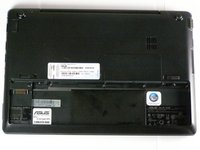
Lay the laptop flat on a hard surface with the bottom facing up and the battery pack on the side closest to you.
 Ask FixBot
-
-
-
-
Use both index fingers to push both spring tabs inwards towards the center of the laptop.
-
-
-
With the spring tabs pressed inward, use your fingernails to lift of the edge of the battery, pivoting it up and towards you.
-
Pull the battery pack up and away from you to completely free it from its recess in the case.
-
-


To reassemble your device, follow these instructions in reverse order.
Cancel: I did not complete this guide.
2 other people completed this guide.

Team

Cal Poly, Team 8-13, Maness Winter 2012 Member of Cal Poly, Team 8-13, Maness Winter 2012
CPSU-MANESS-W12S8G13
4 Members
60 Guides authored
