Free Shipping on Domestic Orders $75+

AKASO KingPad A90 Volume Rocker/Power Button Unit Replacement

What you need

  1. AKASO KingPad A90 Volume Rocker/Power Button Unit Replacement, Volume Rocker/Power Button Unit: step 1, image 1 of 3 AKASO KingPad A90 Volume Rocker/Power Button Unit Replacement, Volume Rocker/Power Button Unit: step 1, image 2 of 3 AKASO KingPad A90 Volume Rocker/Power Button Unit Replacement, Volume Rocker/Power Button Unit: step 1, image 3 of 3
    • Remove screws

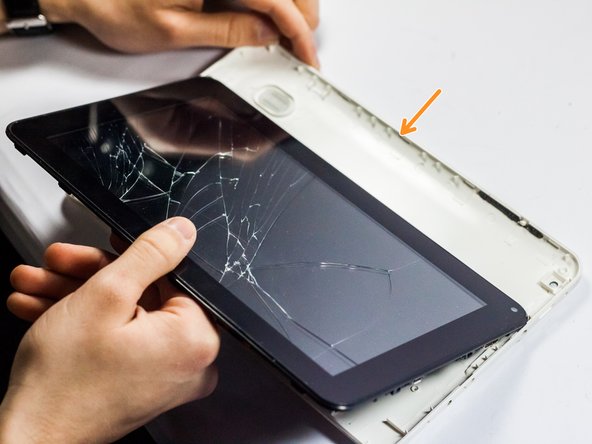
    • Insert spudger tool on the middle of the left side, between the white and black plastic

    • Slide in a plastic opening tool and use it to further pull the back off.

    • Work your way around the edge of the tablet with the plastic opening tool and insert more as needed

    • Pull off the back cover

    Ask FixBot

    Add Comment

  2. AKASO KingPad A90 Volume Rocker/Power Button Unit Replacement: step 2, image 1 of 3 AKASO KingPad A90 Volume Rocker/Power Button Unit Replacement: step 2, image 2 of 3 AKASO KingPad A90 Volume Rocker/Power Button Unit Replacement: step 2, image 3 of 3
    • Remove the broken volume rocker/power button unit.

    • Place the new part into the empty slot.

    Ask FixBot

    Add Comment

  3. AKASO KingPad A90 Volume Rocker/Power Button Unit Replacement: step 3, image 1 of 3 AKASO KingPad A90 Volume Rocker/Power Button Unit Replacement: step 3, image 2 of 3 AKASO KingPad A90 Volume Rocker/Power Button Unit Replacement: step 3, image 3 of 3
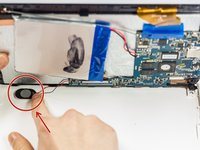
    • Gently press the speaker into place.

    • Replace the back cover with the new part in place.

    • Be careful to not let the volume rocker unit fall out of place.

    • Replace the screws.

    Ask FixBot

    Add Comment

Finish Line

Cancel: I did not complete this guide.

2 other people completed this guide.

Miles

Member since: 03/24/15

260 Reputation

2 Guides authored

Team

0 Guide Comments

Add Comment

View Statistics:

Past 24 Hours: 2

Past 7 Days: 5

Past 30 Days: 33

All Time: 771