Introduction
Some components are expected to wear out over UNIT-4’s lifetime - main examples being batteries and speaker drivers. UNIT-4 has been designed to be disassembled with glue-free design by anyone with 2 screwdrivers and AIAIAI’s step by step repair guides. This will make sure your UNIT-4's will stay with you for as long as possible.
What you need
-
-
All you need is a thin, hard plastic tool or an old credit card and 2 cross head screwdrivers. We use a Phillips 00 and a Phillips 2.
 Ask FixBot
-
-
-
Make sure UNIT-4 is turned off.
-
Use a thin, hard plastic tool or an old credit card and pull off the front panel.
-
-
-
-
Take a screwdriver and remove all 16 screws.
-
Place UNIT-4 upright and carefully lean forward while supporting the front as shown in the video.
-
If the front housing is too tight, we recommend using a flathead screwdriver or similar to pull the housing out. You can do this by pulling it out by the magnet locks.
-
-
-
Disconnect the 6 connectors on the back edge of the main circuit board.
-
-
-
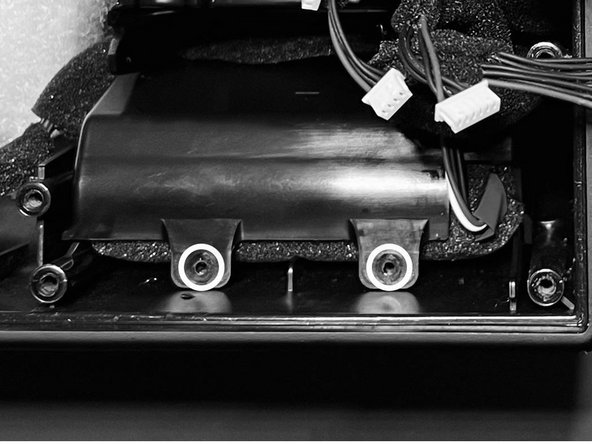
Take a screwdriver and remove the 2 screws from each side.
-
Lift out the battery packs.
-
-
-
Slide battery packs in to place. The pack with the connectors is on the right hand side.
-
Push the connecting cable underneath the bass vent.
-
Hand tighten the 2 screws in each side.
-


To reassemble your device, follow these instructions in reverse order.

