Introduction
1. Test Menu - lets you troubleshoot hardware issues and check your phone's functionality.
2. Safe Mode - all third-party apps are disabled and some settings are temporally rolled back to default settings
3. Developer Options - In this menu you will find settings used for debugging and application development (like enable USB debugging). Do NOT change the settings unless you know what you are doing !!!
4. Info Menu - Phone and battery information, usage statistic and Wi-Fi information.
5. Snapshot - If you want to share what you see on your phone to a friend, or to save something for future reference.
Video Overview
-
-
-
Open Power off menu.
-
Tab and hold Power off option until you see Reboot to safe mode menu and select Restart.
-
The phone will restarts to safe mode.
-
To turn off Safe mode, remove the battery.
-
-
-
-
> Settings
-
> About
-
> Software Information
-
> More
-
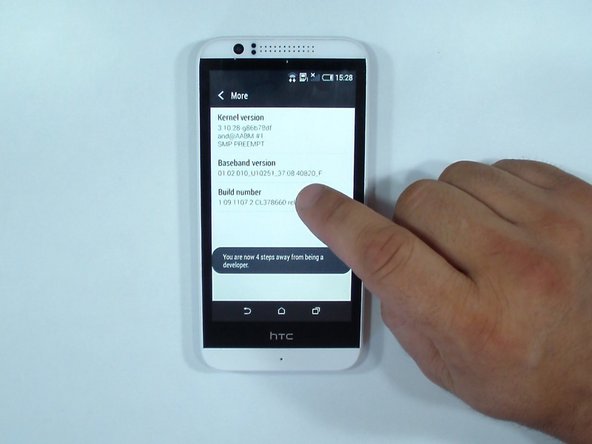
Tap Buld number 7 times.
-
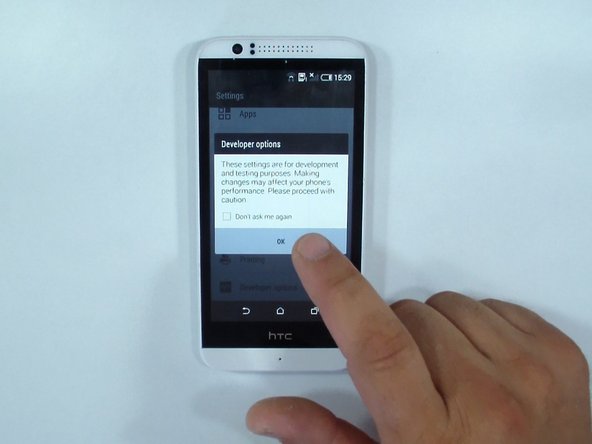
Your Developer options menu is unlocked. In this menu you will find settings used for debugging and application development.
-
If you want to root the phone, you have to enable USB debugging from this menu.
-
-
-
From the dealer app enter this code:
-
*#*#4636#*#*
-
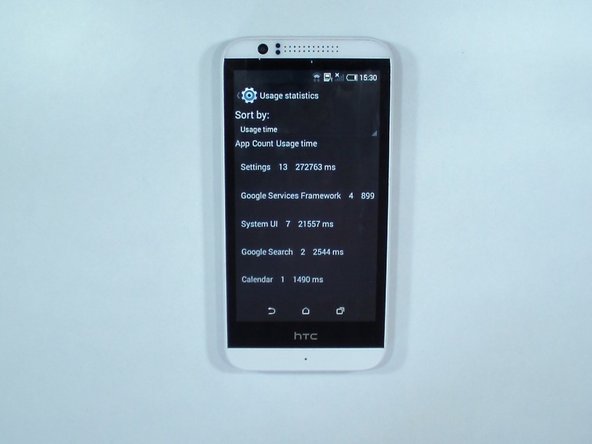
Here you will find some helpful information for your device.
-
-
-
To make a screenshot press simultaneously:
-
Volume Down + Power or
-
Home + Powe
-
.
-
.
-
.
-
That's all.
-


 Ask FixBot









To reassemble your device, follow these instructions in reverse order.
Cancel: I did not complete this guide.
8 other people completed this guide.


