Introduction
This guide demonstrates how to replace the battery in a 2016 Toyota Camry key fob.
Key fobs conveniently unlock and lock your vehicle from a distance with the click of a button. Unfortunately, after 3 or 4 years of continuous use, the battery drains and needs to be replaced.
This is a fairly simple fix that can be completed at home with nothing more than a coin!
What you need
-
-
-
Take a coin and wedge it between both halves of the key fob where the keychain notch is. Push against the indent until the fob begins to lift open.
 Ask FixBot
-
-
-
-
Look for the notch where it says “use coin to open." Push against the indent with your coin to separate the pieces.
-
Remove the middle console.
-
-


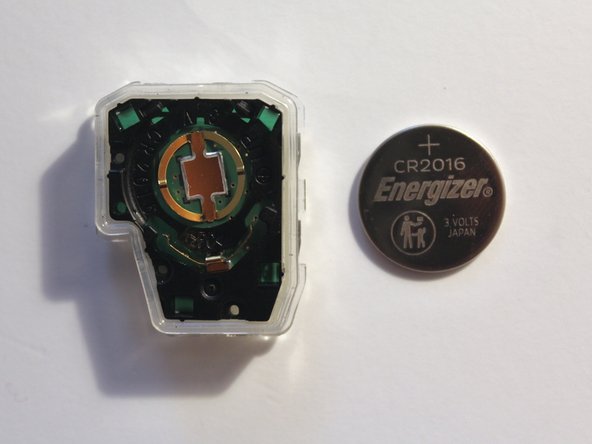
To reassemble your device, follow these instructions in reverse order.
Cancel: I did not complete this guide.
3 other people completed this guide.

Team

University of Memphis, Team M-7, Kim Spring 2022 Member of University of Memphis, Team M-7, Kim Spring 2022
UM-KIM-S22SMG7
1 Member
3 Guides authored
1 Guide Comment
Thanks and nicely done. The small plastic clips that hold the battery can be tricky.
