Introduction
Is your 2013 Nissan Rogue Key Fob not working properly, or isn't working at all? It might be time to replace the battery, and while it's open, take the time to clean out the inside.
Fob batteries needs to be replaced every 3 years to work at maximum range and not sporadically fail.
This guide demonstrates how to replace the battery and clean out your 2013 Nissan Rogue Key Fob.
What you need
-
-
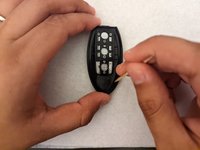
Slide the small tab on the back of your fob to the left.
-
While holding the tab to the left, pull the metal key out from the top of your fob.
 Ask FixBot
-
-
-
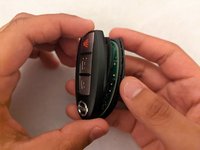
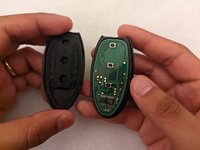
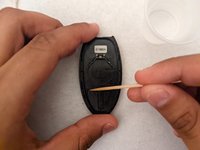
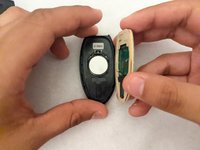
Insert your opening pick into the small gap between the two halves of the fob and lightly pry until they separate.
-
-
-
-
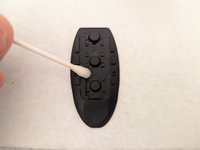
Lightly saturate a cotton swab with 70% isopropyl alcohol and wipe down the inside of the shells and the rubber pad.
-
-
-
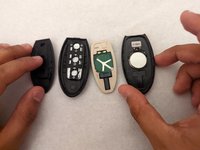
Once the alcohol is dried, place a new battery into the battery housing with the proper orientation.
-
-
-
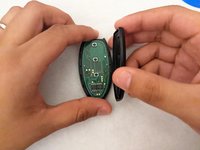
Replace the internal components and click the two halves of the fob back together.
-






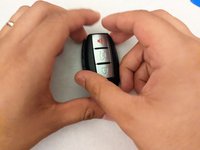


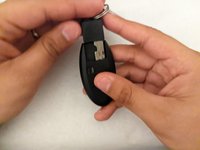
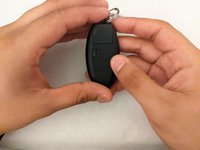
Your fob should now be fully functional!
Cancel: I did not complete this guide.
One other person completed this guide.

Team

University of Memphis, Team 2-7, Willis Spring 2022 Member of University of Memphis, Team 2-7, Willis Spring 2022
UM-WILLIS-S22S2G7
1 Member
1 Guide authored
3 Guide Comments
OMG… I wish I had read this before and attempted to take my key fob apart. I’ve got it all scraped up and ugly from them telling me to use a screwdriver….never mind just do exacty everything this post tells you. I had no problems opening the key fob once I read this article .
Trust me do as this tells you step by step. Just don’t use a screwdriver as another on the www will inform you to do.
Thank you so much for posting this key fob battery replacement info.
Thanks worked perfectly and as stated above don't use a screwdriver I also read that but thank goodness I didn't have one
My son is trying to fix a rogue for me to drive in winter. It was running but his buddy left the key in the ignition when he got out for the night. He forgot the key was in the ignition and tried starting it with the other key. Now it won't start. Had a key guy come out and that didnt help plus has new battery. Really need this car for winter. How can we fix this
