Introduction
Car batteries typically last around five years, and replacement is one of the most common car maintenance tasks. Despite its simplicity, many drivers feel intimidated and end up paying high service fees for a task that takes less than 30 minutes. An illustrated guide with clear steps will empower people to confidently change their own battery, saving time and money while keeping their vehicles running reliably.
When you're ready to change your car battery, it's crucial to remember the safety risks involved. Never leave the key in the car or the vehicle running while you're working on the battery. This can be hazardous and could result in electrocution. Always keep the vehicle turned off when working on the battery. Lastly, always wear your safety gloves and glasses to prevent any irritation or damage to your skin and eyes.
What you need
-
-
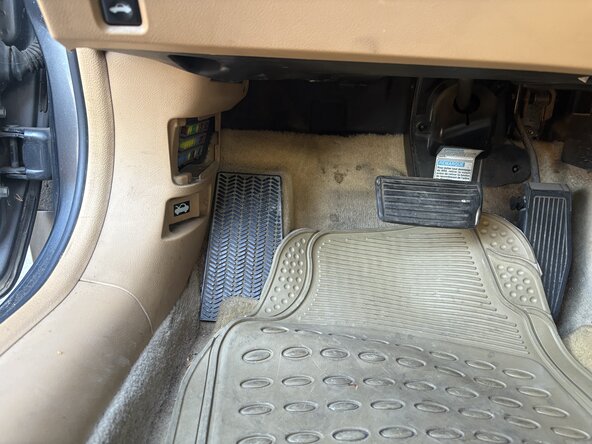
As a responsible car owner, the first step is to open the hood and locate the car battery.
-
Find the battery under the hood.
 Ask FixBot
-
-
-
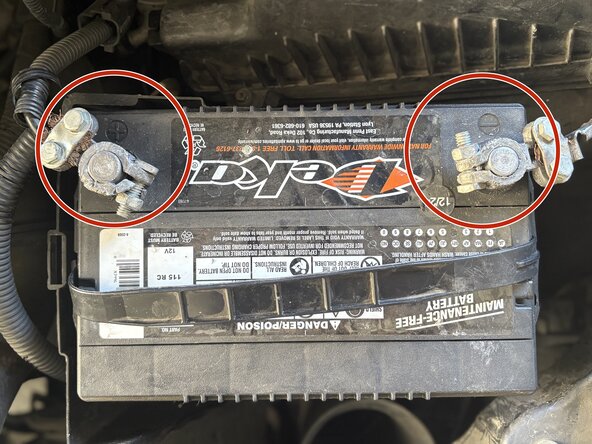
Disconnect the negative and positive terminals by using a socket (or wrench).
-
Remember, the required socket size is 13 mm. Using the correct tools will ensure a smooth, safe disconnection.
-
-
-
-
Remove the bracket or clamp securing the battery. Then carefully lift the old battery out of the tray.
-
-
-
Place the new battery in the tray, ensuring the terminals are aligned correctly.
-
-
-
Reattach the clamp or bracket to secure the battery in place. Refer to photo 1, where I've circled the relevant part to ensure you're on the right track.
-
-
-
After installing the battery, start the car.
-
Suppose your engine runs smoothly with no warning lights appearing. Close the hood, and your car is set to use.
-





To reassemble your device, follow these instructions in reverse order.
Be sure to take your old battery to the proper recycling facility. Don't throw away your old car battery in the garbage.

Team

CSU Sacramento, Team 1-19, Laflen Fall 2025 Member of CSU Sacramento, Team 1-19, Laflen Fall 2025
CSUSAC-LAFLEN-F25S1G19
1 Member
1 Guide authored
