



|
No Answers 2 Score |
Damaged digitizer and front glass |
Documents
Inspiron 14 5410 Setup und technische Daten
Inspiron 14 5410 Setup and Specifications
Inspiron 14 5410 Manual de serviço
Inspiron 14 5410 Service-Handbuch
Dell Inspiron 14 5410 Manual de serviço
Dell Inspiron 14 5410 Service Manual
Background
The Dell Inspiron 14 5410 is a 14-inch laptop from Dell’s 2021 Inspiron 5000 lineup. Its conventional hinged design is suited to everyday tasks such as schoolwork, office work and video calls. It uses 11th-generation Intel Core processors and has a Full HD display and a webcam with a sliding privacy shutter.
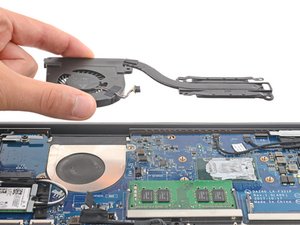
Dell’s service manual covers removal and installation of the internal battery, memory, solid-state drive (SSD), wireless card, fan and charging port. If the laptop stops charging, start with the charging troubleshooting resources on this page to help narrow down whether the problem involves the adapter, battery or charging port before ordering a part.
Dell offered two battery sizes and two SSD lengths. Check which part is installed and use the matching procedure in Dell’s service manual. If you are ordering a replacement for a laptop that has already been repaired or upgraded, check the installed part as well as Dell’s original configuration.
Identification
Look for the Service Tag on the underside of the laptop. Enter it on Dell Support and check the full product name and original configuration. If the label is unreadable and the laptop can start, tap F2 when the Dell logo appears to find the Service Tag in BIOS setup. Dell identifies the standard Inspiron 14 5410 as regulatory model P143G, type P143G001. Use the Service Tag to confirm the full product name, since other Dell laptops can share regulatory identifiers.
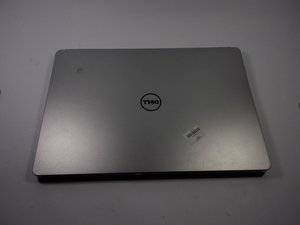
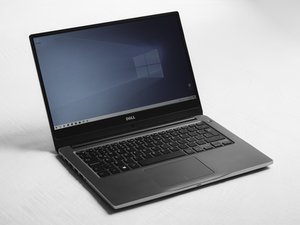
The Inspiron 14 5410 has a conventional hinged lid, a 14-inch non-touch screen and a webcam shutter above the display. The left edge has a round charging jack, HDMI, USB-A and USB-C. The right edge has a microSD slot, another USB-A port and a headset jack. The similarly named Inspiron 14 5410 2-in-1 is a touchscreen convertible with regulatory type P147G002. Dell groups the Inspiron 14 5418 with the 5410 in its support library but provides separate specifications and a separate service manual. If the lookup identifies a 5418, select its documentation.
Technical Specifications
Dell lists the following options for the standard Inspiron 14 5410. Check your configuration before buying replacement parts.
- Display. 14-inch anti-glare, non-touch display, 1920 × 1080 at 60 Hz. Dell lists a 250-nit ComfortView panel and a 300-nit ComfortView Plus panel.
- Processor and graphics. 11th-generation Intel Core i3-1125G4, i5-11300H or i7-11370H. Dell lists Intel UHD graphics for Core i3 and Intel Iris Xe graphics for Core i5 and i7. Some configurations have NVIDIA GeForce MX450 graphics with 2 GB of dedicated memory.
- Memory. Two DDR4-3200 SO-DIMM slots. Dell lists configurations from 4 GB to 32 GB, with up to 16 GB per slot.
- Storage. One PCIe 3.0 ×4 NVMe storage slot. Dell lists M.2 2230 SSDs up to 1 TB and M.2 2280 SSDs up to 2 TB. Some configurations use an Intel Optane Memory H20 module in the same slot.
- Battery and adapter. Internal 3-cell 41 Wh or 4-cell 54 Wh battery. Dell specifies a 65 W adapter with a 4.5 mm × 2.9 mm barrel connector.
- Ports. Two USB-A 3.2 Gen 1 ports, one HDMI 1.4 port, one microSD slot, one headset jack and one round DC power jack. The USB-C port supports USB 3.2 Gen 2, DisplayPort 1.4 and Power Delivery on Core i3 and i5 configurations. Dell lists Thunderbolt 4 with Power Delivery for Core i7 configurations.
- Wireless. Wi-Fi 5 or Wi-Fi 6 with Bluetooth, depending on the wireless card.
- Size and weight. 321.27 × 212.80 mm (12.65 × 8.38 in.), with a height of 17.02 mm at the front and 17.99 mm at the rear. Dell lists a maximum weight of 1.44 kg (3.17 lb), with actual weight varying by configuration.
Sources · Dell Inspiron 14 5410 Setup and Specifications.
Additional Information
- Dell Inspiron 14 5410 Service Manual · Find safety instructions, component diagrams and procedures for replacing the battery, SSD, memory, fan and charging port.
- Dell’s 4-cell battery removal instructions · Go directly to the procedure for the 54 Wh battery. The same manual has a separate procedure for the 41 Wh battery.
- Dell Inspiron 14 5410 Setup and Specifications · Check port diagrams, the Service Tag location and Dell’s hardware options.
- Dell’s Inspiron 14 5410 display specifications · Compare the two factory display options before looking for a replacement.
- Dell’s guide to checking your computer’s hardware configuration · Find the original configuration using your Service Tag or check the current hardware with SupportAssist.
- Dell Inspiron 14 5410 and 5418 manuals and documents · Find the separately labeled manuals for either model.
- PCWorld’s 2021 Dell Inspiron lineup coverage · See where the Intel-based 5410 fit in Dell’s 2021 lineup. Use Dell’s documentation above to verify specifications and replacement parts.

