




|
1 Answer 1 Score |
How do u replace an LCD screen for this model? What parts do I need? |
Documents
Background
The Dell G5 5505 is a mobile Dell G series gaming laptop that was released during late July of 2020. The device is compatible with the Windows 11 and 10 operating systems, including their “Home” and “Pro” versions. It is also compatible with both wired and Bluetooth devices, including audio and display devices, via HDMI USB, and headset ports.
The laptop weighs 5.51 pounds, and while color may vary, the shell of the device is primarily plastic. The screen display is 7.62 inches in height, 13.55 inches in width, and 15.55 inches diagonally, with a resolution of 1920 x 1080. It's typical luminance comes to 300 nits, and the typical contrast ratio is 29.16. It does not have any touch screen options.
There are a total of five versions of the G5 series of Dell laptops, including the 5505. These other variants of the G5 include the 5500, 5590, 5000, and 5090. The G5 series can support the Alienware Command Center software. Alienware is an interface that allows users to configure their device to be ideal for their game experience. The G5 lineup specifically is the second oldest of the G series to support this software, seconded by the G3 lineup.
Identification
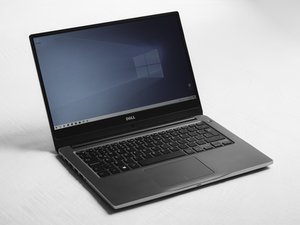
The Dell G5 5505 is a portable laptop with the Dell logo in the center of its cover. On the right side of the device, there is an SD card slot, a headset port, two USB 2.0 ports, and, notably, a wedge-shaped security-cable slot in that order. The left side of the device has a power-adapter port, a mini display port, and HDMI port, a USB 3.2 Gen 1 port, and a network port in that order. The alphanumeric service tag label is located on the bottom of the device, where a large “G5” logo can also be identified at the center.
When the device is open, there is a “G5” logo that is displayed in the top left corner of the keyboard. The W, A, S, and D keys of the keyboard are visibly reinforced by a thicker plastic. The trackpad of the devices is slightly oriented to the right side of the keyboard. The power button / fingerprint reader can be seen near the top center of the keyboard.
Technical Specifications
- Operating system: Windows 11, Windows 10
- Maximum memory configuration: 32 GB
- Storage type: M.2 2230 Drive
- Camera type: RGB HD camera
- Front height: (closed): 0.85 in
- Width: 14.53 in
- Depth: 10.0 in
- Maximum weight: 5.51 lb
*
Source:
Additional Information:
- Me and My Dell: For Inspiron, G-Series, XPS, and Alienware computers
- Alienware Command Center 5.x User's Guide
Dell G5 SE 5505 Setup und technische Daten
Dell G5 SE 5505 Servisní příručka
Dell G5 SE 5505 Konfigurace a technické údaje
Dell G5 SE 5505 Caractéristiques et configuration
Dell G5 SE 5505 Setup and Specifications
Dell G5 SE 5505 Настройки и технические характеристики
Dell G5 SE Nastavení a technické údaje

