Free Shipping on Domestic Orders $75+

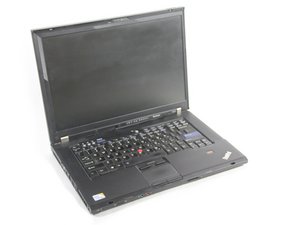
Lenovo ThinkPad T500. It's a business laptop introduced in July 2008. This 15.4″ notebook can be configured with anywhere from a 2.26GHz Intel Core 2 Duo P8400 processor up to the high-end with a 2.8GHz Intel Core 2 Duo T9600 processor (or 3.06GHz Core 2 Extreme) and Intel integrated or ATI switchable graphics.

My T500 won't turn on.

It won't turn on. Even when I plug it in I don't even get any lights. I have checked the adapter and the battery pack and they are fine. I have also replaced the bios battery as it was dead as well.

Answer this question I have this problem too

Is this a good question?

Score 0
Add a comment

1 Answer

Most Helpful Answer

Hi @jeffwawrow

Disconnect the charger if connected and remove the battery from the laptop.

Open the laptop and then disconnect i.e. unplug, the AC power jack cable (aka DC-In jack) (example to show image of cable) from the motherboard.

Here's the hardware maintenance manual go to p.101 (109 of 188 pdf) in the manual to view where it is located on the motherboard.

Reconnect the charger to the laptop's power jack as per normal and then use a DMM (digital multimeter) and check that there's 20V DC when measured between the red and black wires on the AC power cable plug (which is disconnected from the board).

If not then the jack is faulty and will need to be replaced as it cannot be repaired.

Search online for 42W3649 to find suppliers that suit you best.

Was this answer helpful?

Score 1
Add a comment

Add your answer

Jeff Wawrow will be eternally grateful.
View Statistics:

Past 24 Hours: 0

Past 7 Days: 7

Past 30 Days: 34

All Time: 34
