
 1
1 Nintendo 3DS XL, won't start.
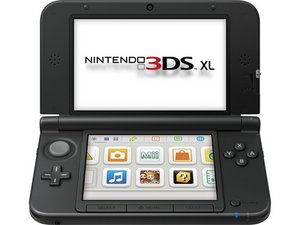
Hi guys, I'm having a problem with my Nintendo 3DS XL.
The Nintendo was shipped to me completely disassembled, so I reassembled it and replaced the top display (the flat panel was visibly damaged).
I charged the Nintendo and the charging LED lights up correctly, but after charging it for over an hour, the Nintendo won't turn on for any reason.
When connected to the power supply, pressing the power button turns the charging LED off and back on within a second; no flashing displays, no sound, nothing.
However, when running on battery power only, no LED lights up, not even for a moment.
I think I can rule out damage to one of the displays, since from what I know, if one of the two displays is damaged, a white flash should be visible on one of the displays.
I checked fuses F1 and F2, and they're OK.
I've unplugged and replugged all the flat cables and the wireless card, but the problem still persists.
The only oddity is the battery voltage. Specifically, when I insert the battery into the contacts, it reads 4.1V correctly. When I press the power button, the voltage drops to 0.85V and stays there until I remove and reinsert the battery, returning it to 4.1V.
I removed the SD card, and there's no play in the card slot.
I should point out that there's not the classic blue LED and black screen problem; no LEDs light up, except the charging LED.
Can anyone tell me what the problem might be? I've been stuck in this situation for days now, and there doesn't seem to be a way out.
Thank you all for your time.
Is this a good question?

 19
19  35
35 