Free Shipping on Domestic Orders $75+

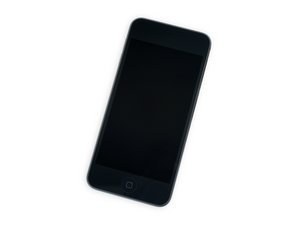
The seventh iteration of Apple's iPod Touch, released May 2019. This model comes with up to 256 GB of storage and an A10 processor. Model number A2178.

Can't remove the front display!

It seems impossible to remove the front display! I used the iOpener repeatedly, a heat gun, all to no avail. I bought a new display and all the tools to replace it, but I can't get started. The adhesive just doesn't want to budge! Help!

Answer this question I have this problem too

Is this a good question?

Score 1

2 Comments:

OK I got it open now. It took 3-4 days of working t it. Hint to others: The display started to separate slightly on the side, at about 3/4 " above the bottom. I was able to get a razor blade between the display and the frame and slid it down to the bottom, then pulling it across the borttom cutting the adhesive. Now it is on to the rest of the work! DBS

by

Add a comment

1 Answer

If the front display won't come off, don't force it. Double-check that all screws and ribbon cable connectors have been removed or disconnected. The display may still be held by adhesive clips—apply gentle heat around the edges and use a plastic opening tool to carefully separate it. Forcing it can crack the screen or damage the frame.

Was this answer helpful?

Score 0
Add a comment

Add your answer

David Swanson will be eternally grateful.
View Statistics:

Past 24 Hours: 2

Past 7 Days: 7

Past 30 Days: 30

All Time: 122