
Free Shipping on Domestic Orders $75+

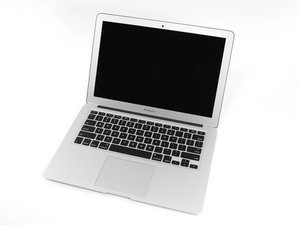
In June 2017 Apple updated its 13" MacBook Air with a newer Broadwell Intel Core i5 processor, resulting in slightly increased performance and battery life.

SSD doesn't appear on utilities list

I have MacBook Air (13-inch, 2017, High Sierra), but it suddenly shut down and restarted with a question mark icon. From there, I tried to do the recovery process, but then the Wi-Fi wouldn't connect, so I had to use Hotspot to continue. Next, I had to go through the reinstallation process, but I got the error "the recovery server could not be contacted." I was able to resolve this error by watching a video on YouTube: https://youtu.be/ouNQS36dIBw?si=BiqIMAZ6...

When I try to continue the installation, no disk appears, even though this laptop has an SSD, but it doesn't appear in the list of utilities. This SSD was installed in 2022 and did not come standard on this laptop. I have already selected the option to show all devices.

So I'm stuck at the same point as this guy: https://discussions.apple.com/thread/251...

Can someone help me, please?

Answered! View the answer I have this problem too

Is this a good question?

Score 1
Add a comment

1 Answer

Chosen Solution

Was it an Apple Pin layout or a regular M2 drive with an adapter? You could try to remove the SSD and then clean up the pins and connector, if that failed to find the drive after connecting it all back up and the SSD still does not appear on the left pane of Disk Utility, then the drive has moist likely failed. It maybe worth to try testing the SSD on another computer or with an external enclosure to see if it is detected' & if so, format it to EX-FAT so the Macs disc utility can discover it and then reformat to OS Extended Journaled or APFS if you still intended to clean install from internet recovery (This 2017 model can support OS 12.7.6 Monterey).

Here are some links about Apples Proprietary SSDs & Apple SSD connectors and adapters list.

These next links maybe of little help until the MacBook is up and running again but just for later reference:

Downloading a macOS Installer Application from Apple & Create a bootable installer for macOS.

If you still have the original SSD that the MacBook was supplied with it is well worth a try to see if the issue is resolved when that is installed, but, If nothing changed then SSDs can and do eventually fail so that is the more likely scenario in what has happened here.

Was this answer helpful?

Score 1

2 Comments:

The installed SSD is "SSD OWC Aura Pro X2 PCIe"

I'll try reinstalling the original SSD.

by

@anabeatriz IF ever you needed to buy another SSD other than a compatible apple pino-out i highly suggest to get a Samsung 970 EVO Plus & a Sintech adapter, I have been running this since 3 years and never had an issue.

by

Add a comment

Add your answer

Ana Beatriz will be eternally grateful.
View Statistics:

Past 24 Hours: 0

Past 7 Days: 2

Past 30 Days: 35

All Time: 230