
Free Shipping on Domestic Orders $75+

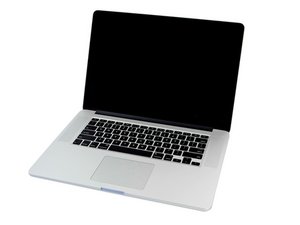
2.2 GHz (Turbo Boost up to 3.4 GHz), 2.5 GHz (Turbo Boost up to 3.7 GHz), or 2.8 GHz (Turbo Boost up to 4.0 GHz) quad-core Intel Core i7 processor with 6 MB shared L3 cache and an optional AMD Radeon R9 M370X dGPU.

Battery replacement that isn't a battery

I'm volunteering at a thrift store, and a Macbook Pro 15" from 2015 was collecting dust. The note on it said "Not charging, won't boot." I put Magsafe 2 into it, and sure enough it showed the low battery symbol and a lightning bolt. I figured that the battery was toast and ripped the battery out to try booting without one.

Our collection of Magsafe 2 chargers didn't have an +80W charger. I got my Magsafe 1 to 2 adapter and tried an 85W brick. It would get a quarter of the way through booting and then would boot loop back to the start. Seems that everything I was seeing of 15" pros can't run without the battery appears to be true.

My question, is there a way to take the existing battery board and attach something to it to give the laptop the oomph it needs in times like booting up, and can withstand being plugged in a lot? I'm not an expert on the circuitry and software involved in Macs charge by any means, but I figured that there would be people on here that'd know. Or know someone that knows.

My drive for this is that it feels like getting a good quality battery over and over again doesn't feel feasible in the long term for these machines. And it is definitely not cost effective for the places that people dump otherwise working devices on. I'd like to find an alternative if possible.

Answer this question I have this problem too

Is this a good question?

Score 0
Add a comment

1 Answer

Most Helpful Answer

Without a good working compatible battery connected the system should power up but into a safe mode which will be drastically slower to prevent overheating. You really do need to use the correct 85w T-Type charger that is designed for this unit, a lower output or 'different' method will likely cause damage. Trying to 'trick' the system into believing it has a battery installed is a bad idea and is highly recommended not to even try to do as you will likely cause more issues requiring specialized repair. I personally use a 2015 15" model and these in my opinion are the best intel MacBooks ever made. Later models were riddled with various issues. If your worried about it only supporting an older system (Monterey in this case), there is OCLP that can bypass system requirements and patch it to a later newer system (Except the very latest, Tahoe). Monterey 12.7.6 still works fine regardless. In a nutshell, you should get the compatible charger & battery designed for this model for it to function as intended, using anything other is suicide for the unit. Hope that helps!

Was this answer helpful?

Score 1
Add a comment

Add your answer

Jacob H. will be eternally grateful.
View Statistics:

Past 24 Hours: 0

Past 7 Days: 1

Past 30 Days: 9

All Time: 76