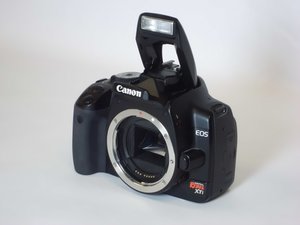

My camera won't take pictures
Whenever I try to take a picture, it gives me an error, saying:
Err99
Shooting is not possible. Turn the power switch to <OFF> and <ON> again or re-install the battery.
Is this a good question?
Whenever I try to take a picture, it gives me an error, saying:
Err99
Shooting is not possible. Turn the power switch to <OFF> and <ON> again or re-install the battery.
Is this a good question?
Have you tried to see weather it works plugged in to power? (If you can do this with the camera, of course)
After doing some research, Error 99 seems to mostly have to do with the shutter. (Error99 basically means there is a problem with the camera, but the device is not sure what the error is) Try to see if you can lock up the shutter for cleaning. If that does not work, then you might want to try to further investigate the shutter.
Good luck fixing your camera!
Was this answer helpful?
Former Canon DSLR repair tech here. Error 99 is a kind of general hardware failure error. In this case, it's likely either the shutter inside the camera, or a lens issue.
1) Remove the lens and try taking a picture at the fastest exposure speed. Error 99 at this point means something in the camera is bad. This is a tough break, because Canon no longer repairs those models.
2) If there's no error without a lens, attach a lens and see if you get the error. Continue with each lens. Make sure the data & power contacts are clean (rubbing alcohol on a Q-Tip can clean any tarnish) on both the camera and any lenses you may have. If you get the error with EVERY lens, there's a chance the data connection in the camera is bad.
Was this answer helpful?
Past 24 Hours: 0
Past 7 Days: 6
Past 30 Days: 31
All Time: 247
